
One sentence
ArtDeck is a visual board with study tools for iPhone, iPad, and Mac.
Press kit
Creation starts with what you keep. ArtDeck collects images, video, links, notes, GIFs, and PDFs on visual boards, with study tools built in.
Description
Short versions for listings or wherever a compact app description is useful.
One sentence
ArtDeck is a visual board with study tools for iPhone, iPad, and Mac.
Short version
ArtDeck helps you collect images, video, links, notes, GIFs, and PDFs on visual boards, then study them with color, value, composition, reading, measurement, and motion tools. Boards can sync across iPhone, iPad, and Mac with iCloud.
Longer version
ArtDeck is a reference board app for saving images, links, notes, video, GIFs, PDFs, drawings, palettes, and groups across visual boards. Its ToolBox works on images, GIF frames, and video frames, with lenses for values, color, composition, reading, and measurement. Motion tools let you step through video or GIF references frame by frame and compare nearby frames with onion skinning.
ArtDeck runs on iPhone, iPad, and Mac. Boards can sync through iCloud, stay available offline on-device, and work alongside other iPad apps in Split View or Stage Manager. ArtDeck is a one-time purchase with no subscription, no in-app purchases, and no account required.
Screenshots
Click any screenshot to download a PNG. The cards use WebP previews so the page stays light.
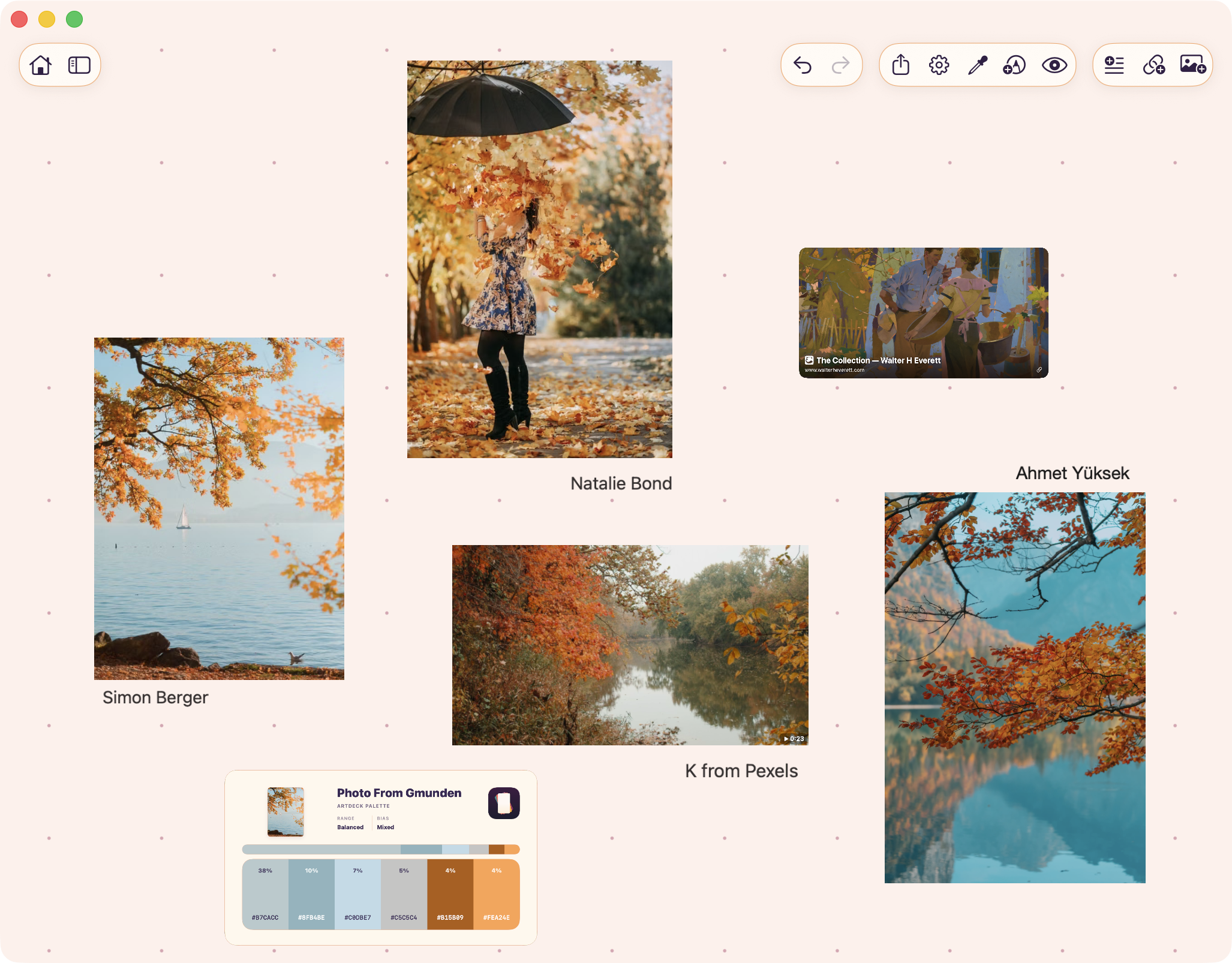
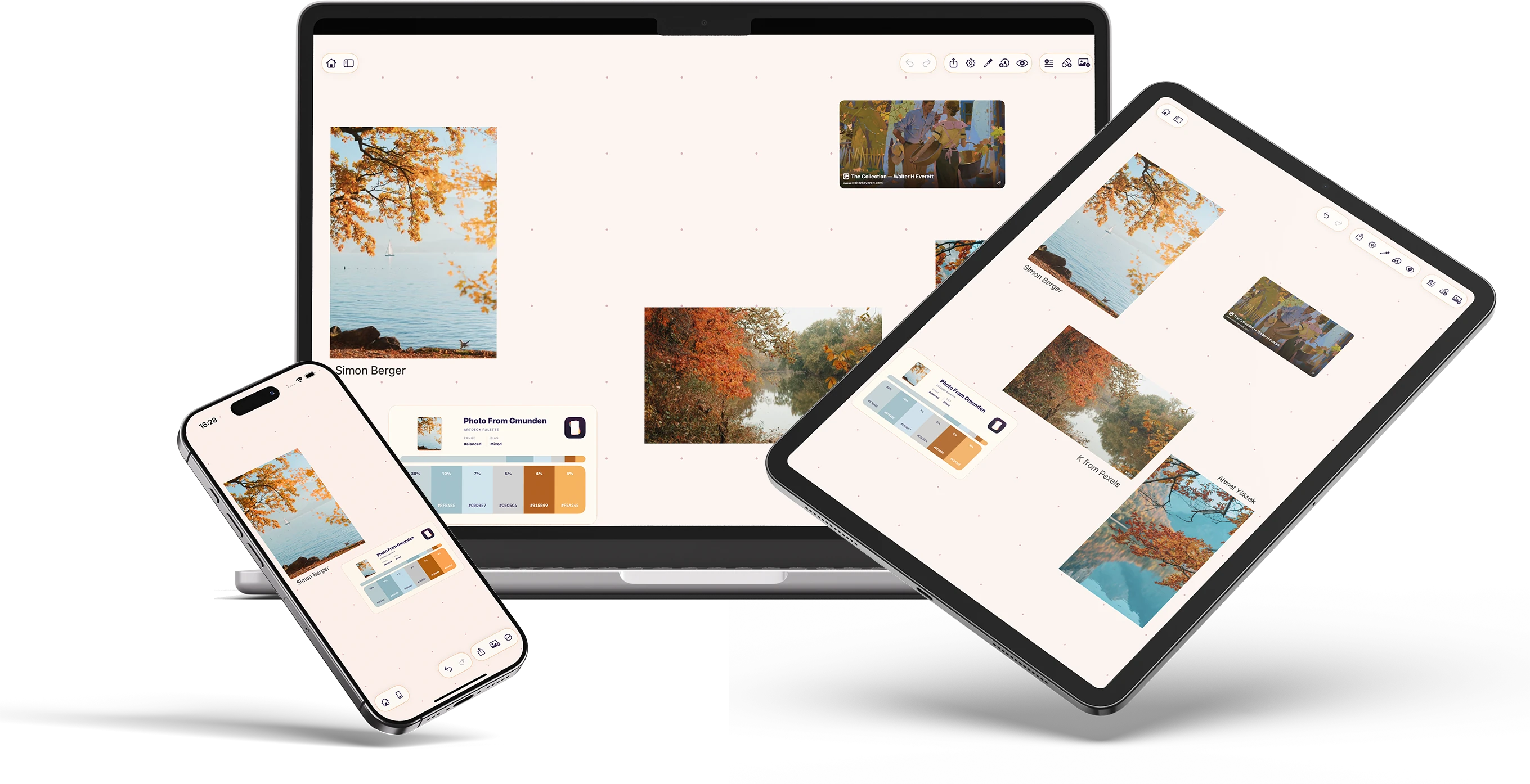
A board with image references, video, a link card, and a palette card.
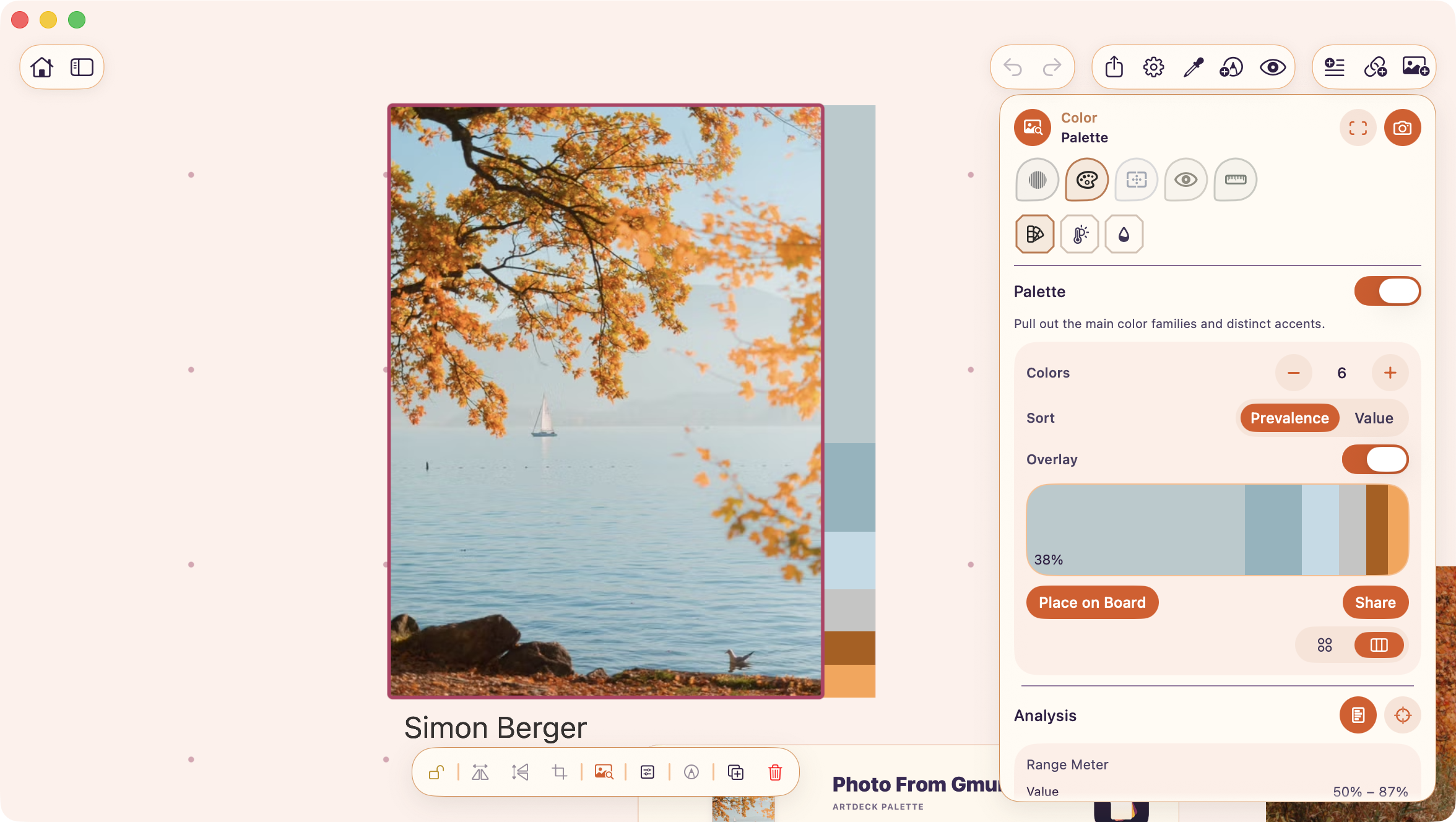
The Color lens pulls a palette from a selected image and can place that palette back on the board.
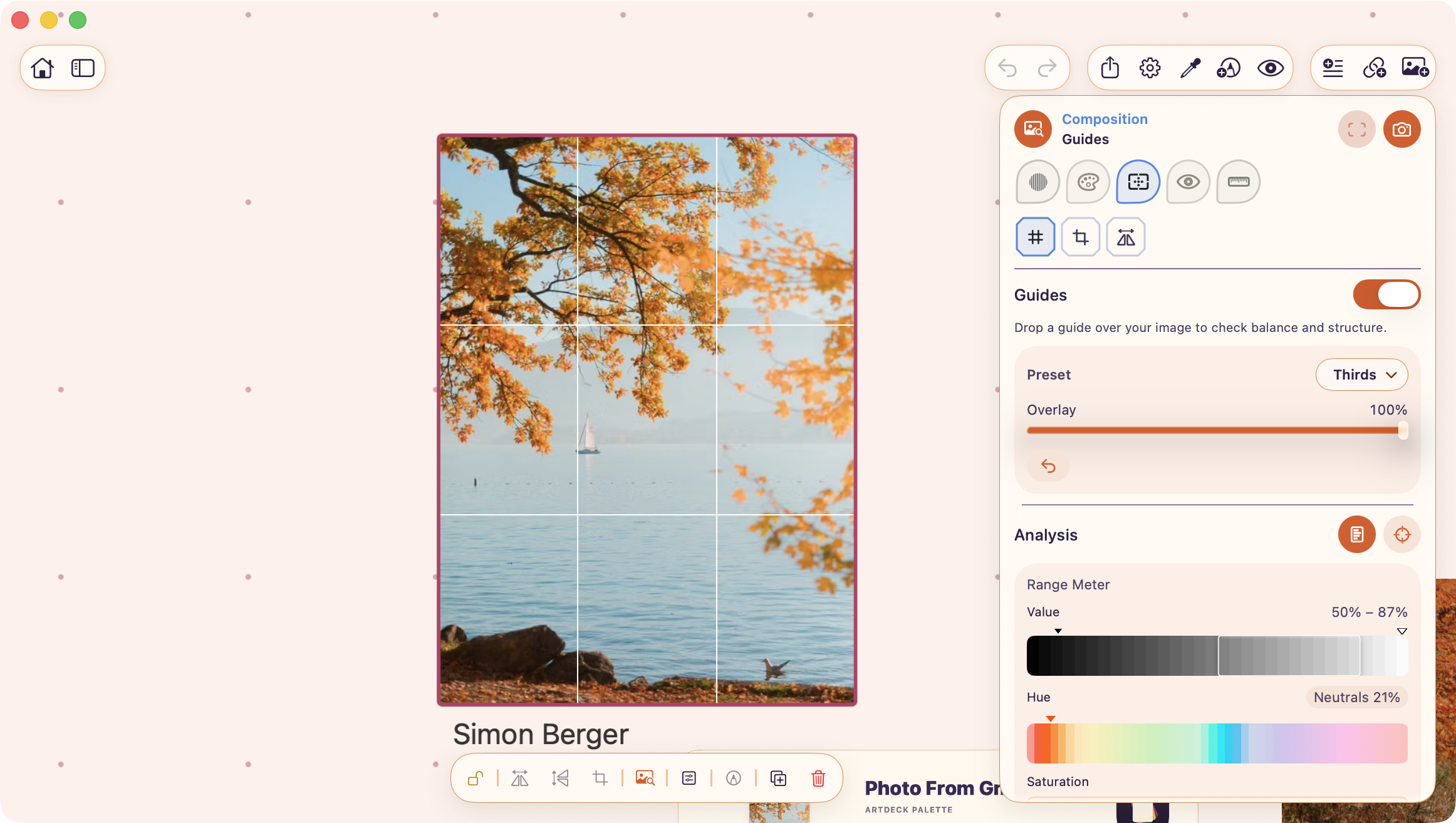
The Composition lens lays guide overlays on a selected image.
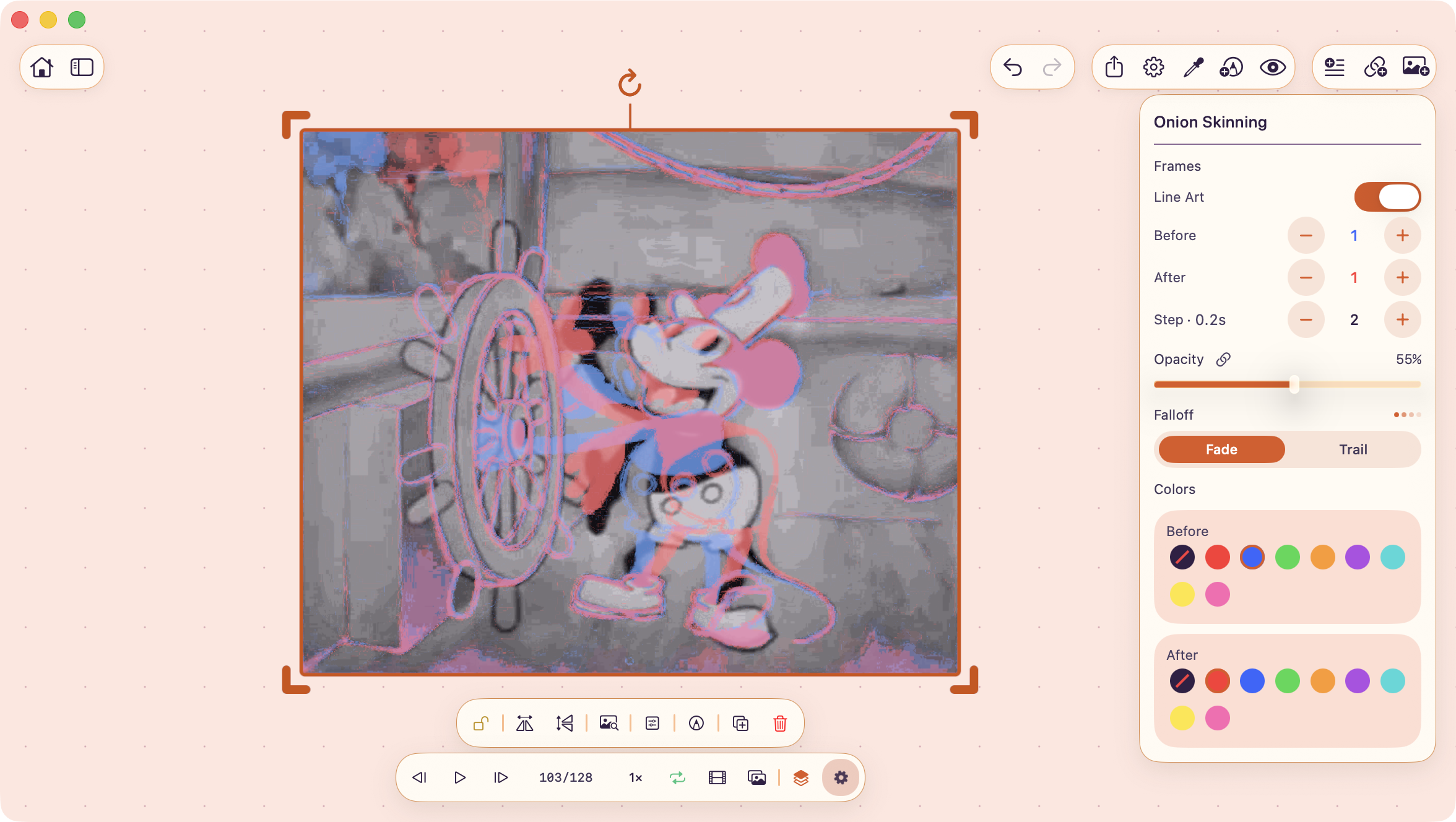
Onion skinning overlays nearby video or GIF frames while you step through motion.
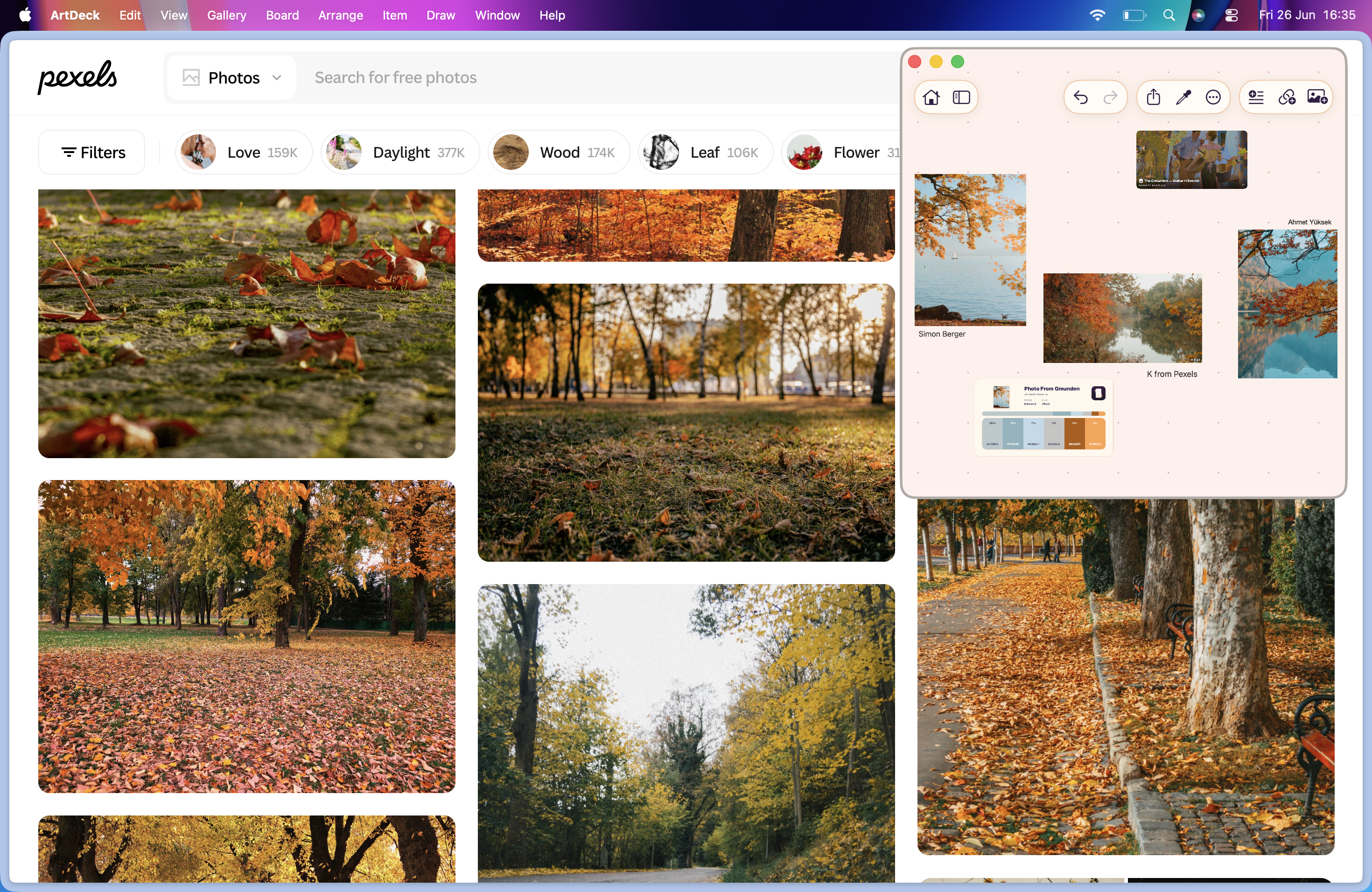
The same board open on iPhone, iPad, and Mac.
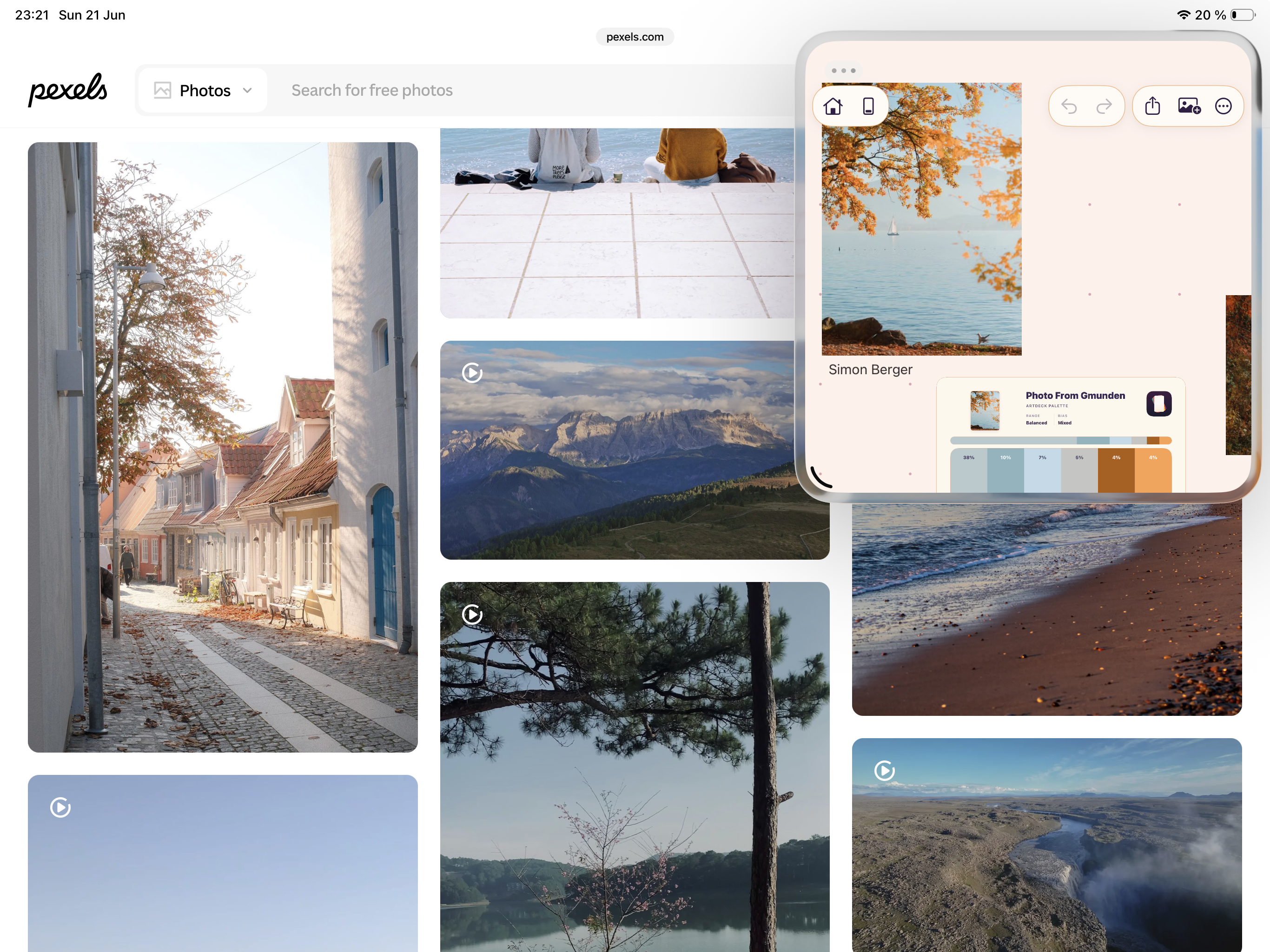
On iPad, ArtDeck can sit beside another app while you collect or check references.
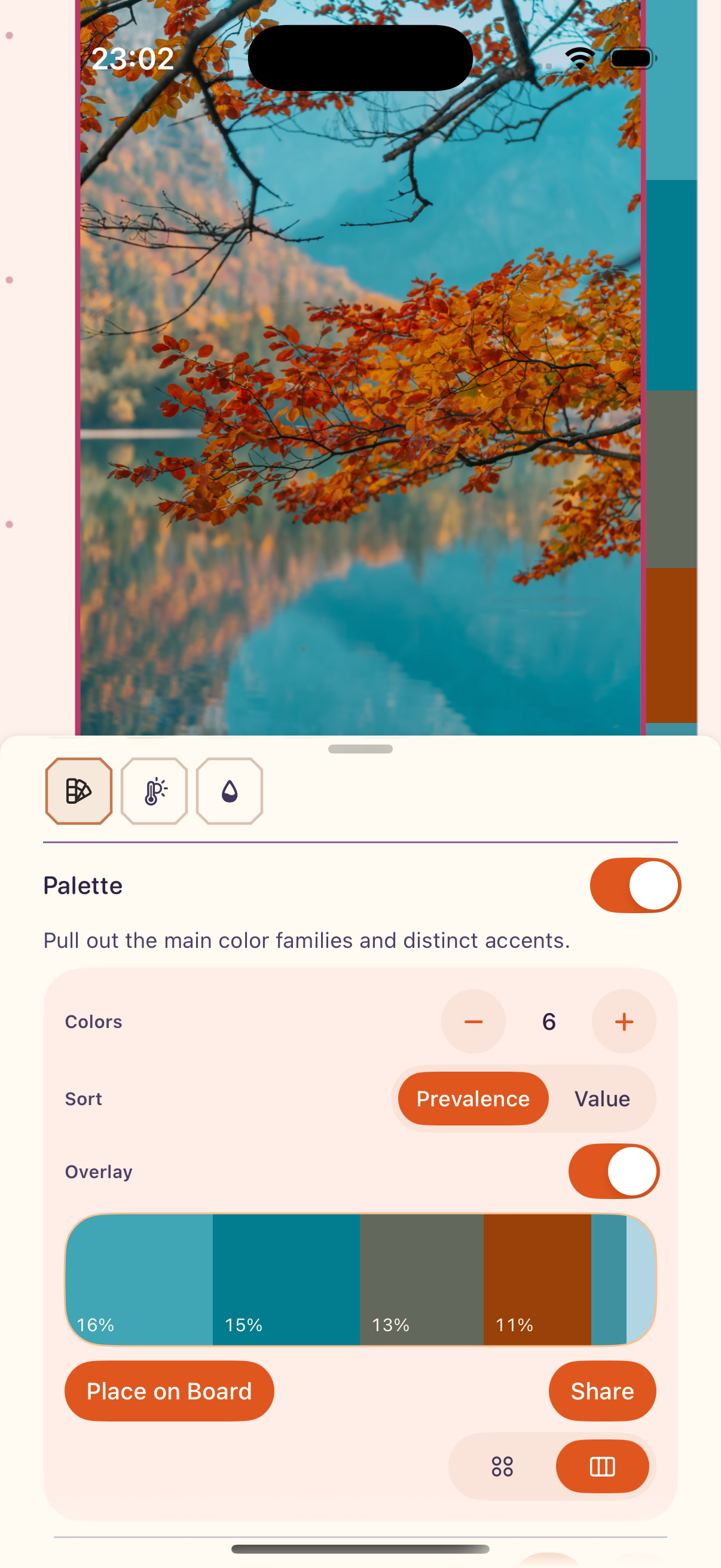
On iPhone, ToolBox opens as a sheet while the selected reference stays visible above it.
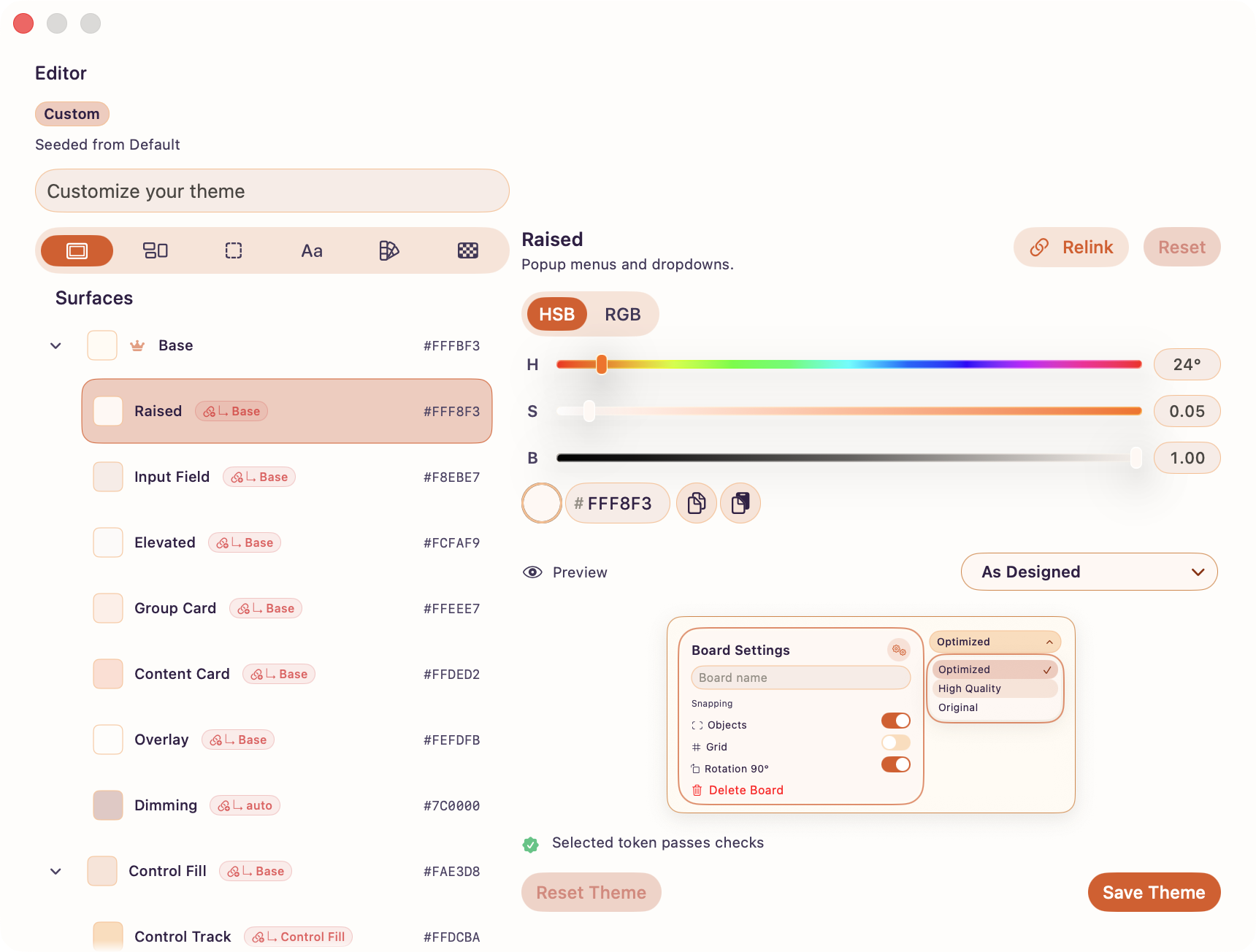
The theme editor changes interface color roles with a live preview and diagnostics.
Downloads
The ZIP includes the logo files, app icon, and original PNG screenshots. The individual logo files are linked below too.
Contact
For questions, extra screenshots, or anything missing from the kit, email:
press@getartdeck.com