

One sentence
ArtDeck combines visual reference boards and study tools on iPhone, iPad, and Mac.
Press kit · Available now
ArtDeck keeps images, videos, links, notes, PDFs, and GIFs on visual boards across iPhone, iPad, and Mac.
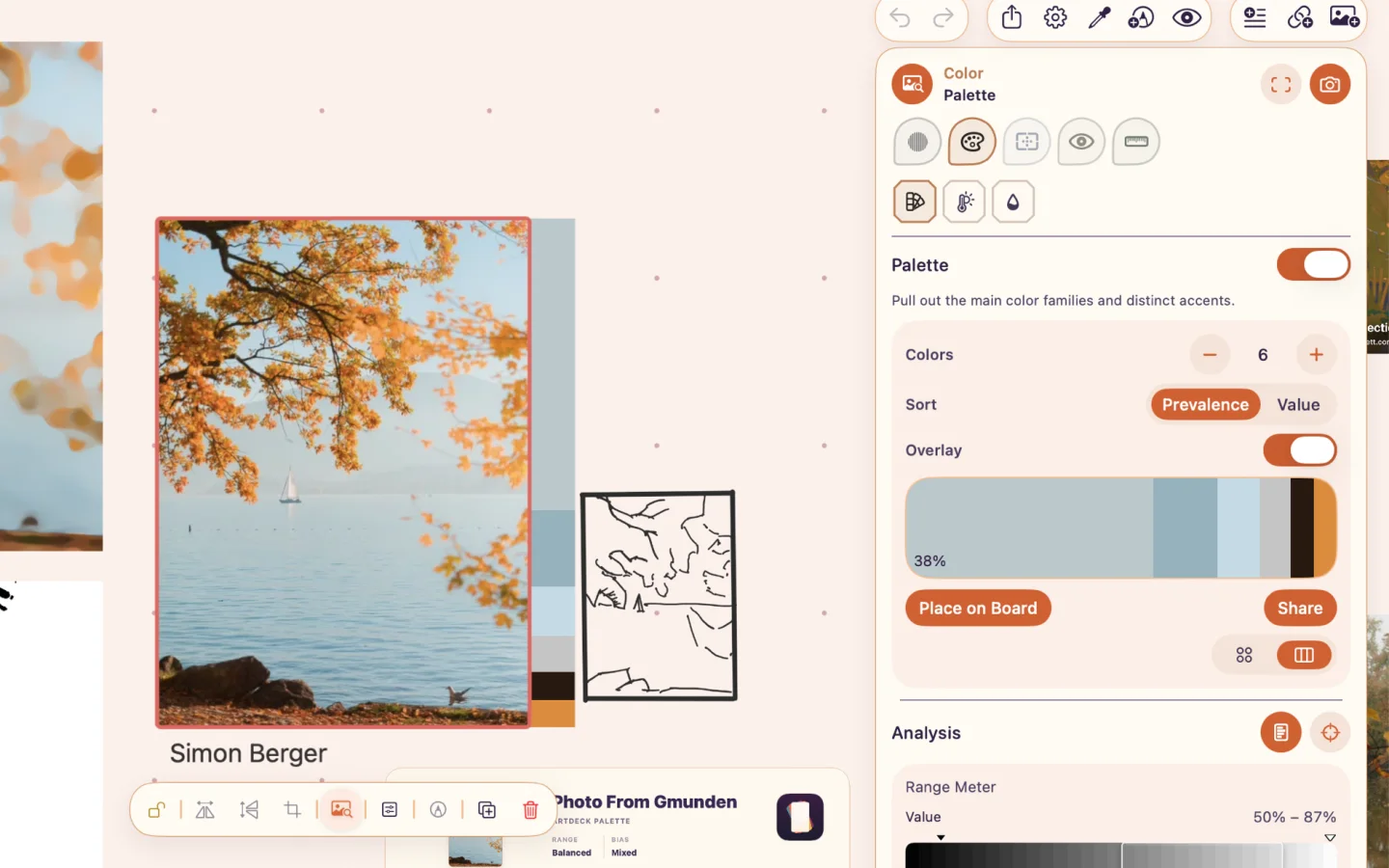
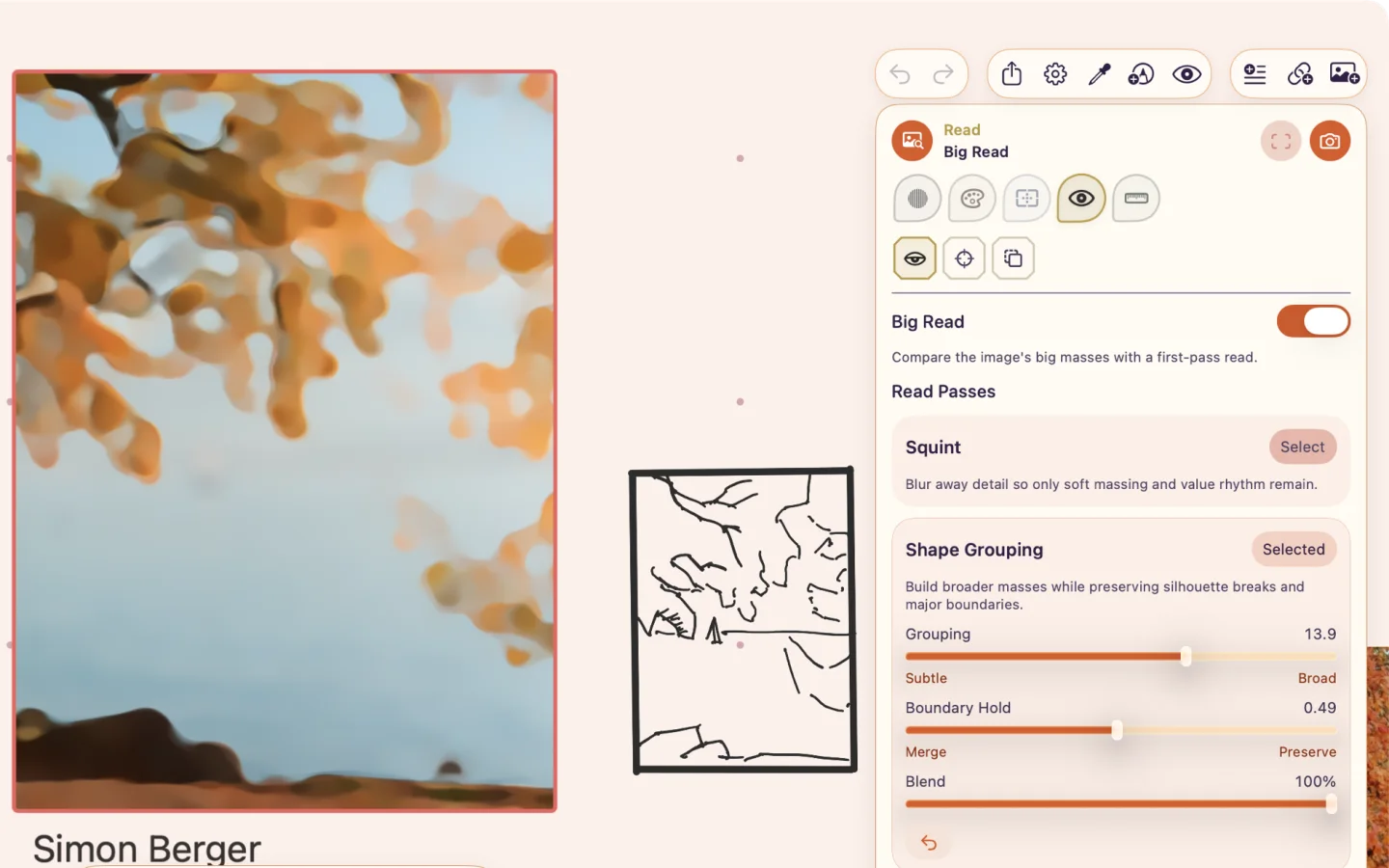
Use ToolBox to pull a palette, compare values, test composition, group shapes, or measure proportions.
Playback and frame controls handle motion.
ArtDeck is free for 7 days, then a single purchase, with no subscription or account.
Boards can sync with iCloud, and the app works offline.
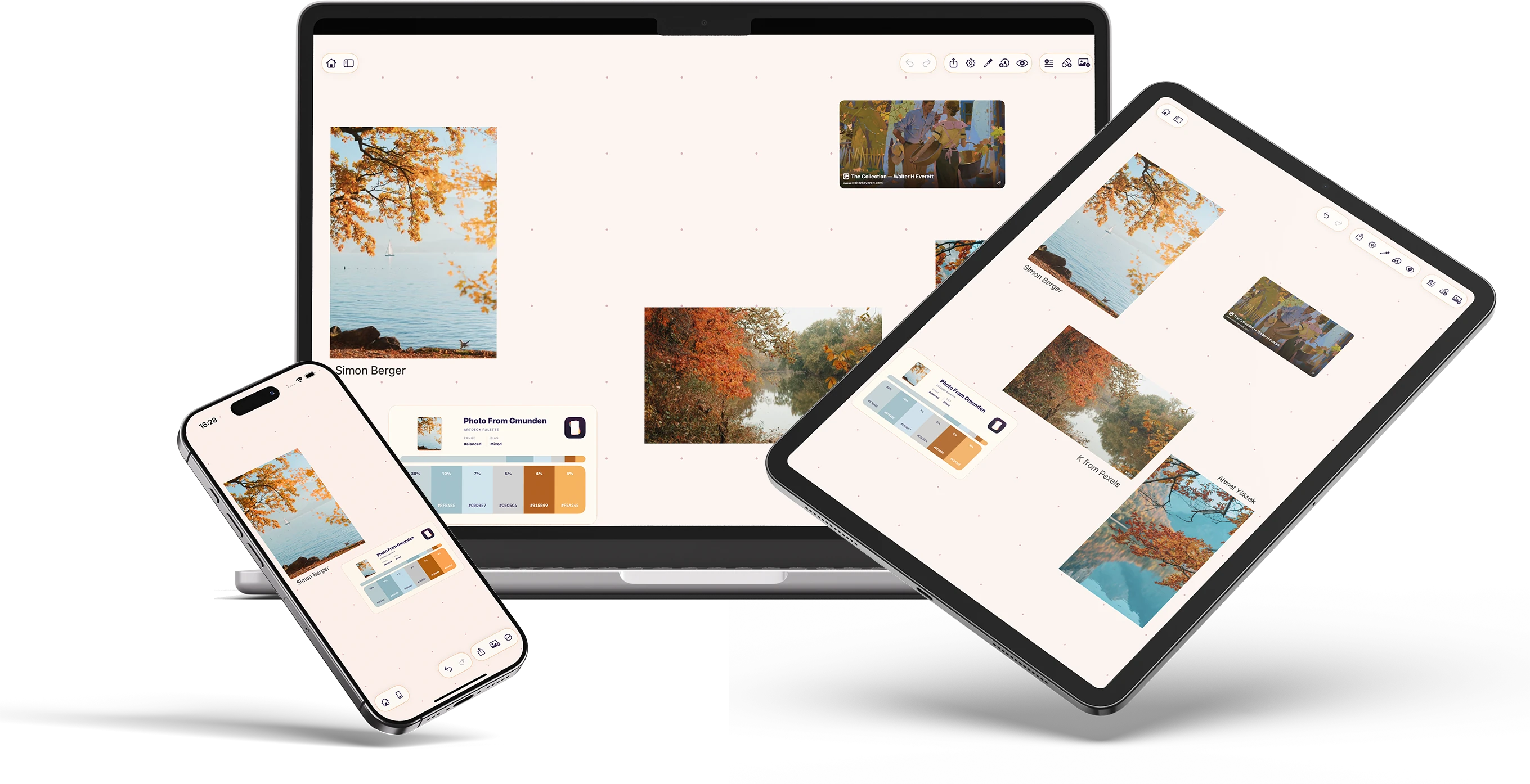
Study tool examples
Here, ArtDeck pulls a palette and groups shapes. Other ToolBox lenses cover value, composition, reading, and measurement.
Product demo
The demo covers boards, study tools, annotation, and export across iPad, Mac, and iPhone.
For reviewers
Add an image and a short video or GIF.
You can test image study and motion tools without an account or sample project.
Choose an image from Photos or Files, paste or drag one in, or send it through Share.
Pull a palette, compare values, group shapes, check composition, or measure proportions.
Add a video or GIF, move frame by frame, and compare nearby frames with onion skinning.
Review support
I can provide App Store promo codes, extra footage, custom screenshots, or a short founder interview.
Description
Choose the length that fits a listing, review, or article.
One sentence
ArtDeck combines visual reference boards and study tools on iPhone, iPad, and Mac.
Short version
ArtDeck lets you collect images, videos, links, notes, PDFs, and GIFs on visual boards. It includes tools for color, value, composition, reading, measurement, and motion. Boards can sync across iPhone, iPad, and Mac with iCloud.
Longer version
ArtDeck keeps images, videos, links, notes, PDFs, GIFs, drawings, palettes, and groups on visual boards. ToolBox works with images and individual frames from videos or GIFs. Its lenses cover values, color, composition, reading, and measurement. Motion controls let you step through a video or GIF frame by frame and compare neighboring frames with onion skinning.
ArtDeck runs on iPhone, iPad, and Mac. With iCloud, boards can sync between devices and remain available offline. On iPad, ArtDeck works next to other apps in Split View or Stage Manager. It is free to download, with a 7-day trial and then a single in-app purchase, and it needs no subscription and no account.
About me
Who I am
Alexandre Alves
Software engineer and artist, France
My software engineering degree focused on multimedia and interaction. I later studied 3D animation while working as a freelance IT contractor for an animation studio. I have also spent several years learning 2D and 3D art.
I started building ArtDeck in November 2025 while developing concept art for a personal game project during a period without client work. My workflow was split across PureRef, Notion, Photoshop, and Procreate on desktop and iPad. I wanted one place where I could collect references, study them, and keep notes.
“My attention was constantly split between them. Every time I needed to switch contexts, I lost a bit of focus.”
Alexandre Alves, on the workflow that led to ArtDeck
Screenshots
Click any preview to download its PNG.
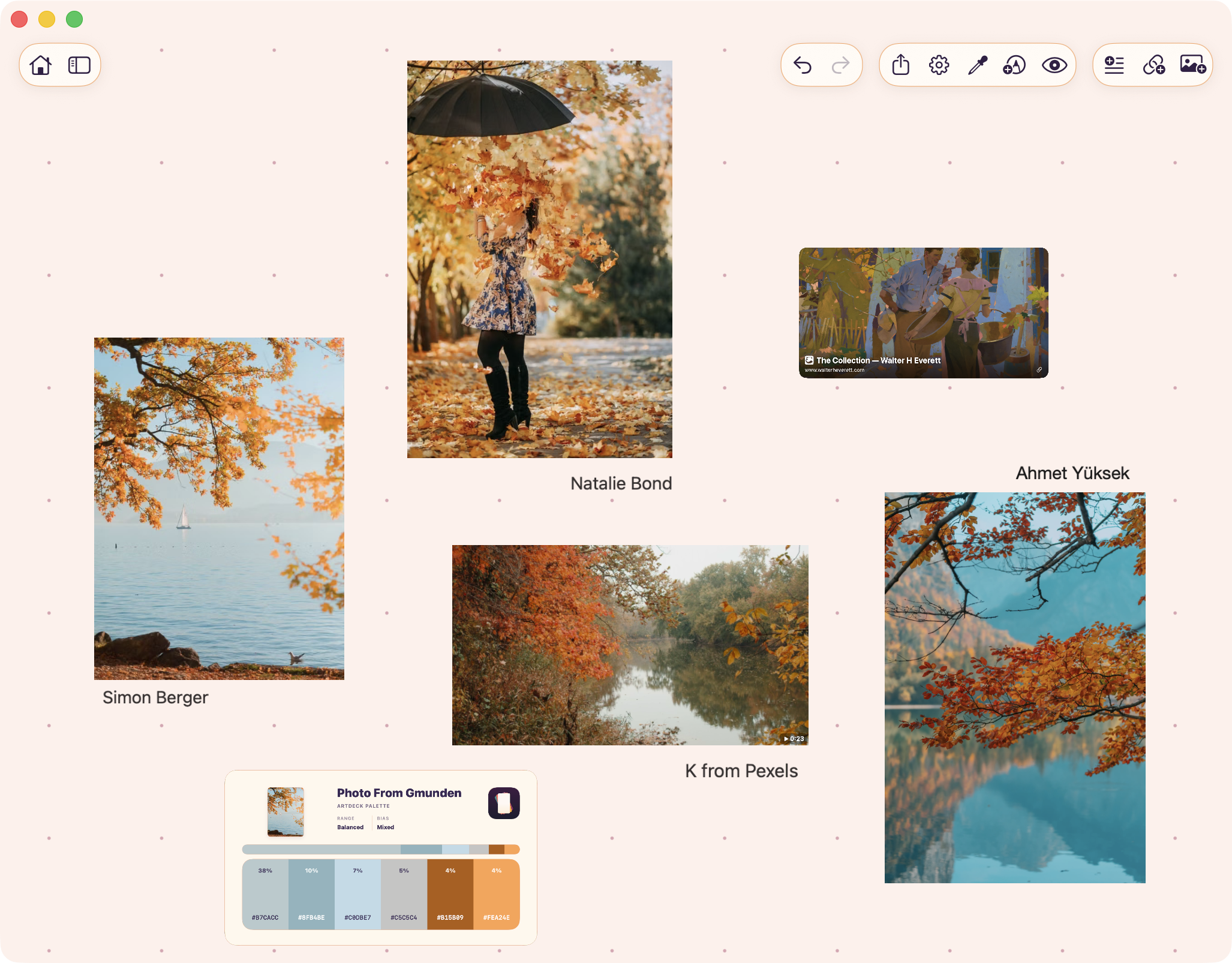
A board with image references, video, a link card, and a palette card.
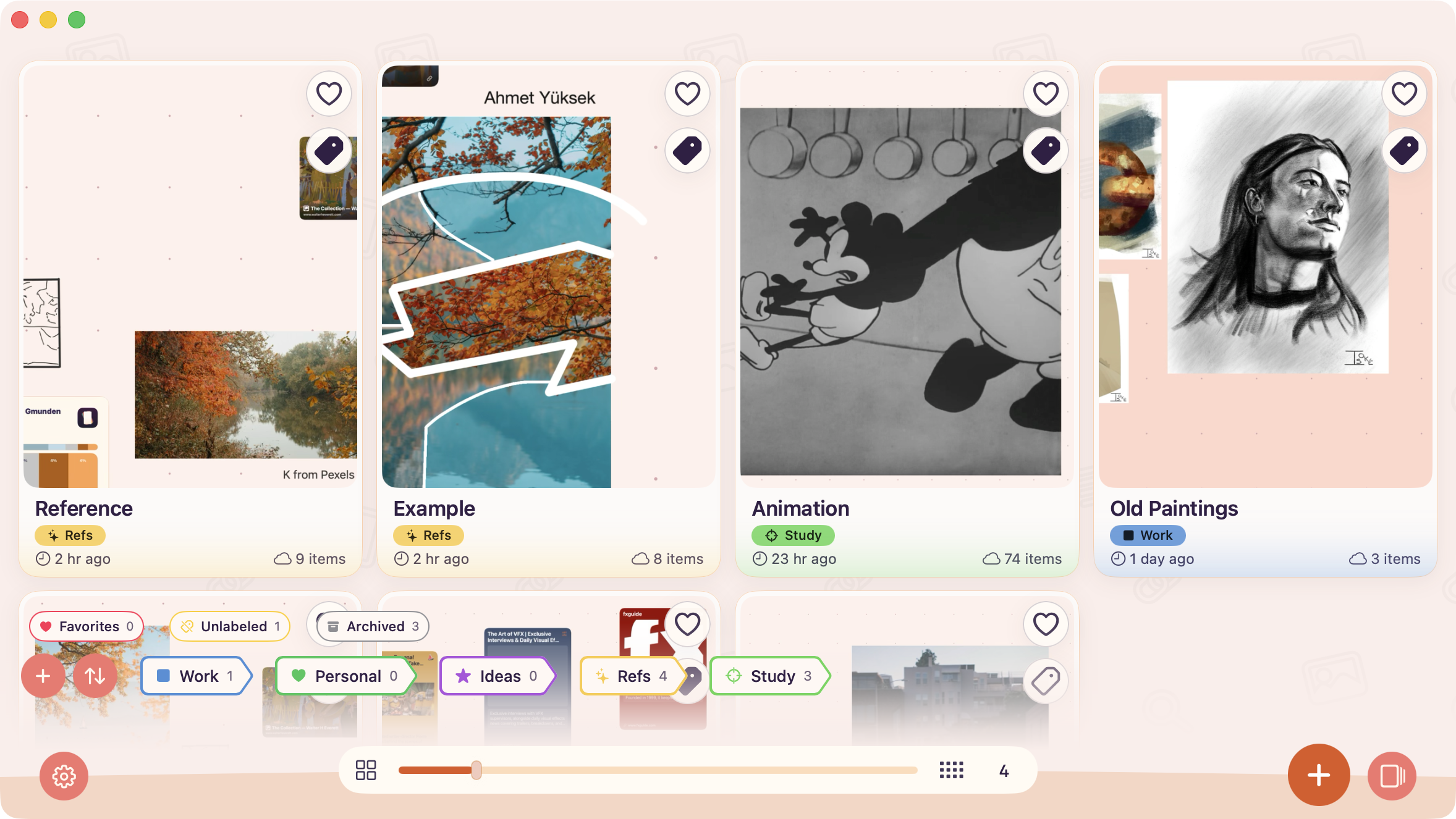
Grid view shows more boards at once, with labels, favorites, filters, and item counts.
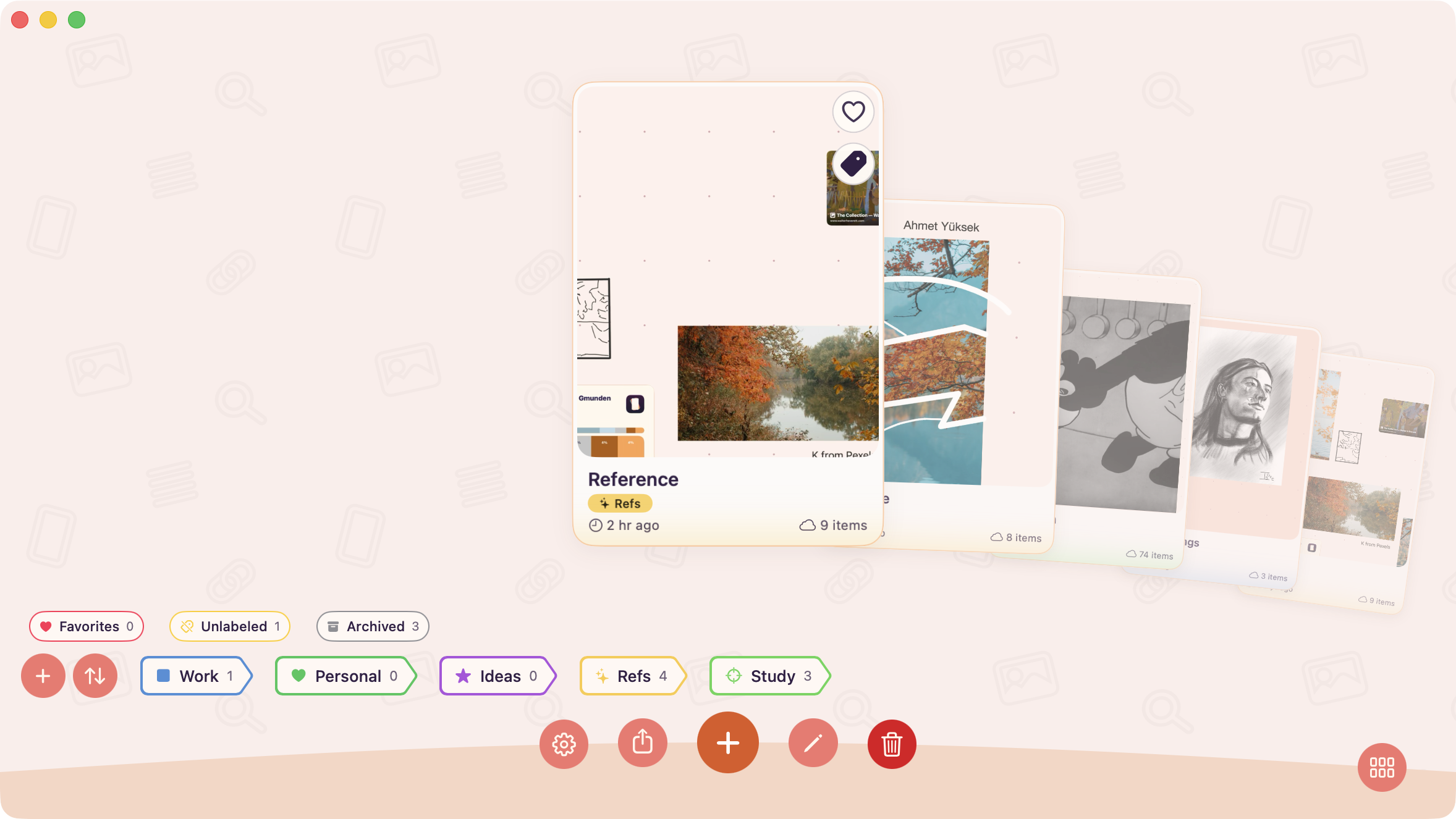
Carousel view centers the selected board and shows neighboring boards behind it.
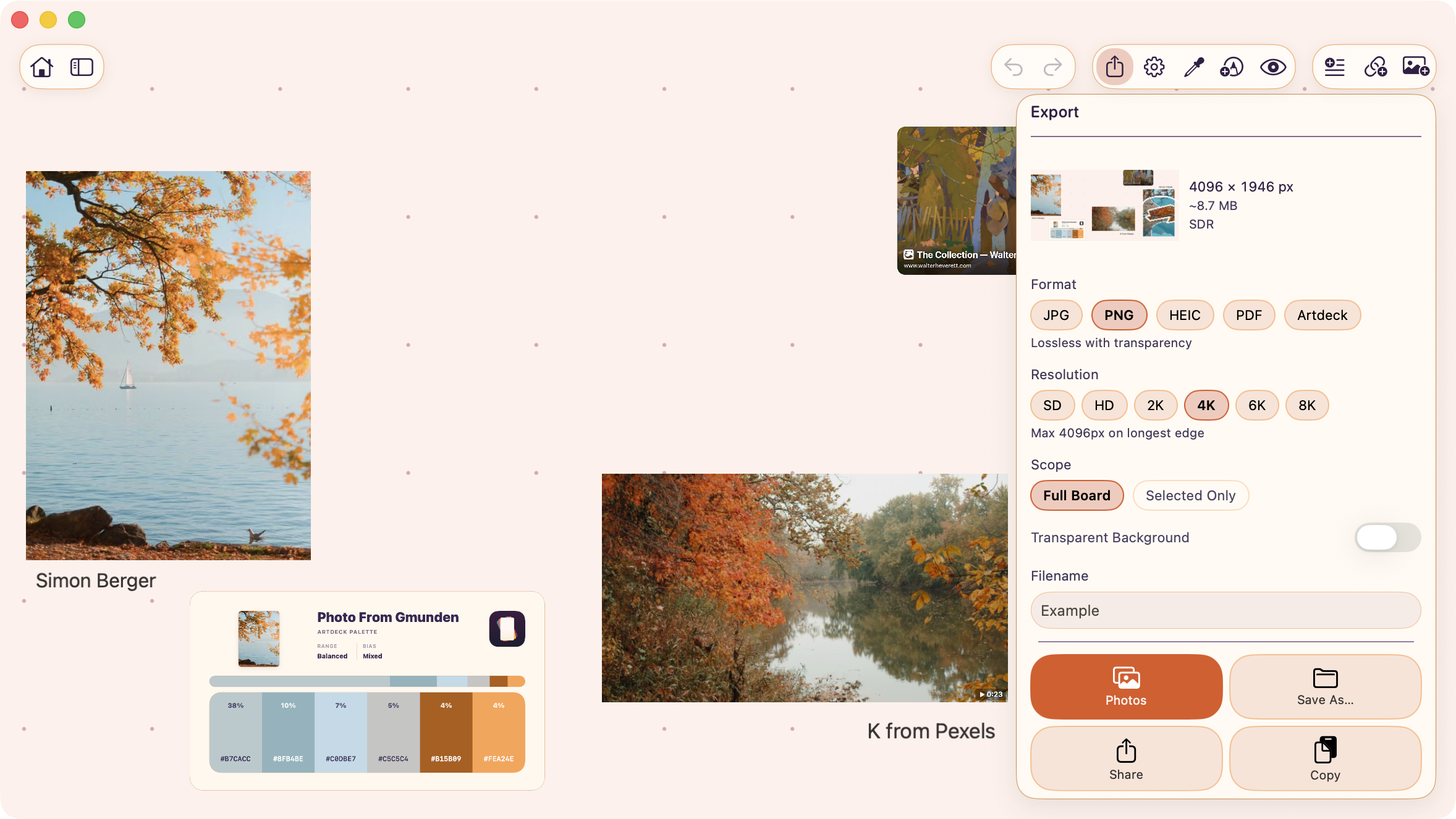
Choose the format, resolution, scope, and destination before exporting a board.
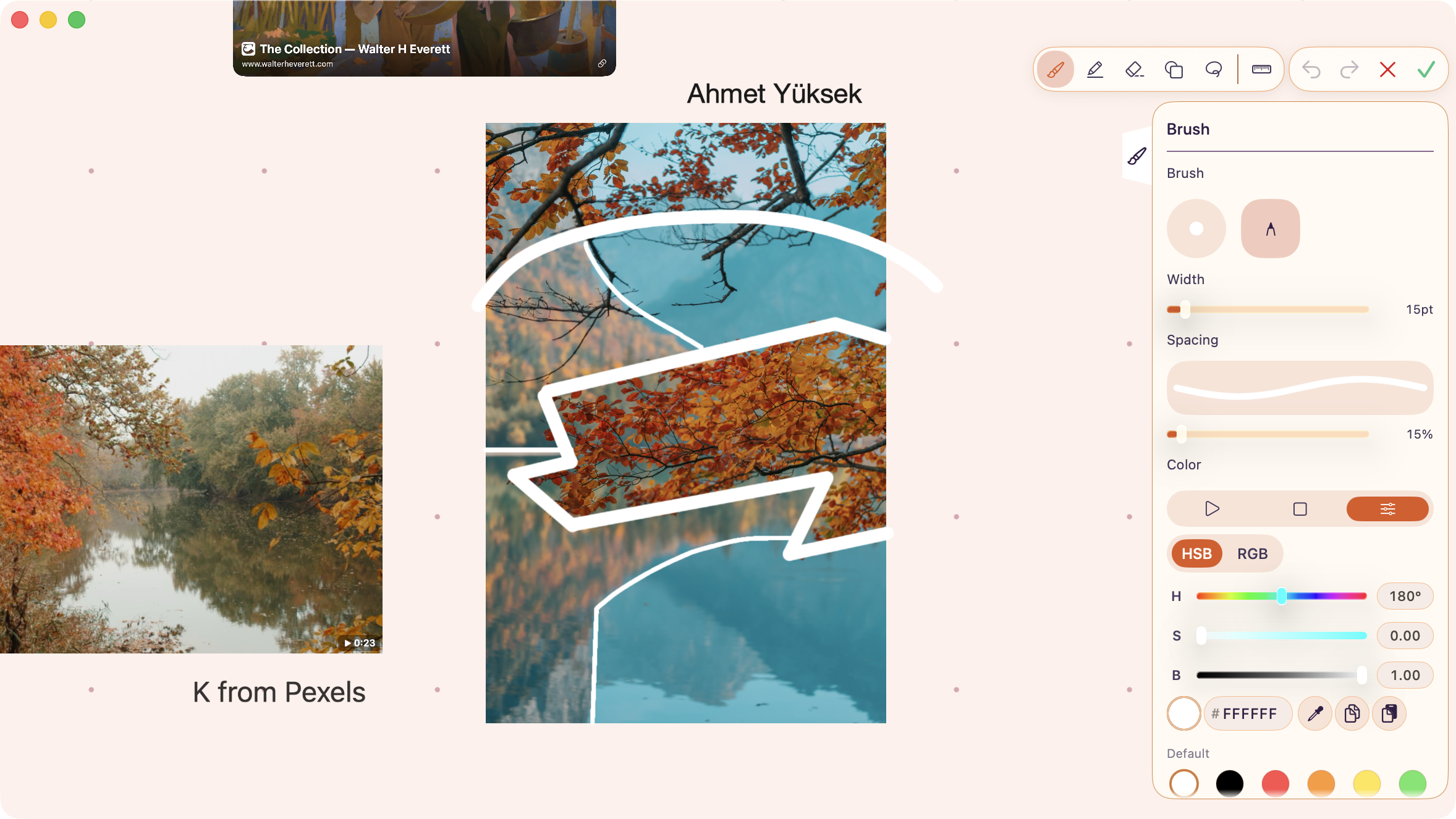
Draw over the board with brush, pen, eraser, and shape tools, with adjustable width and color.
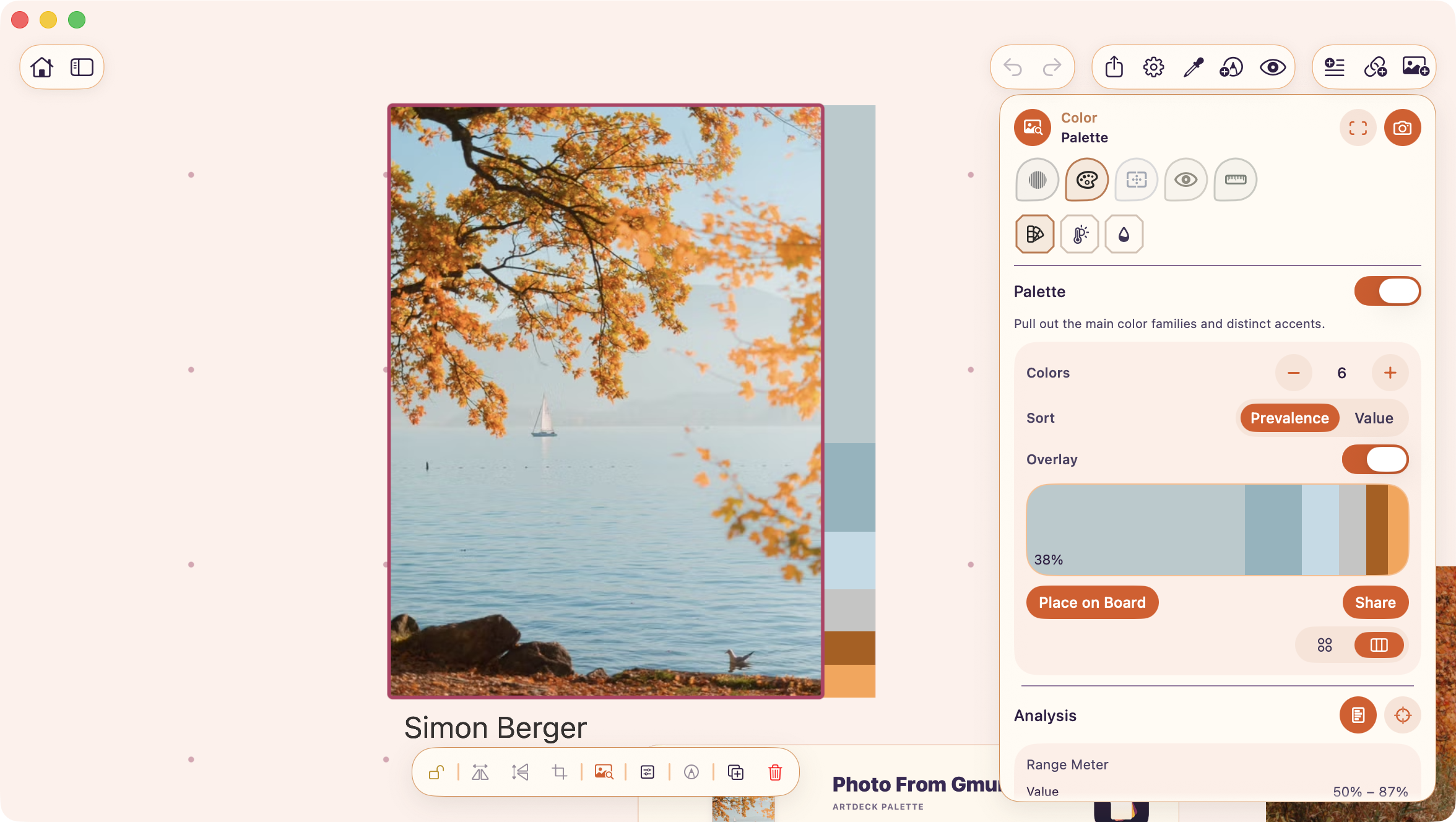
The Color lens pulls a palette from a selected image and can place that palette back on the board.
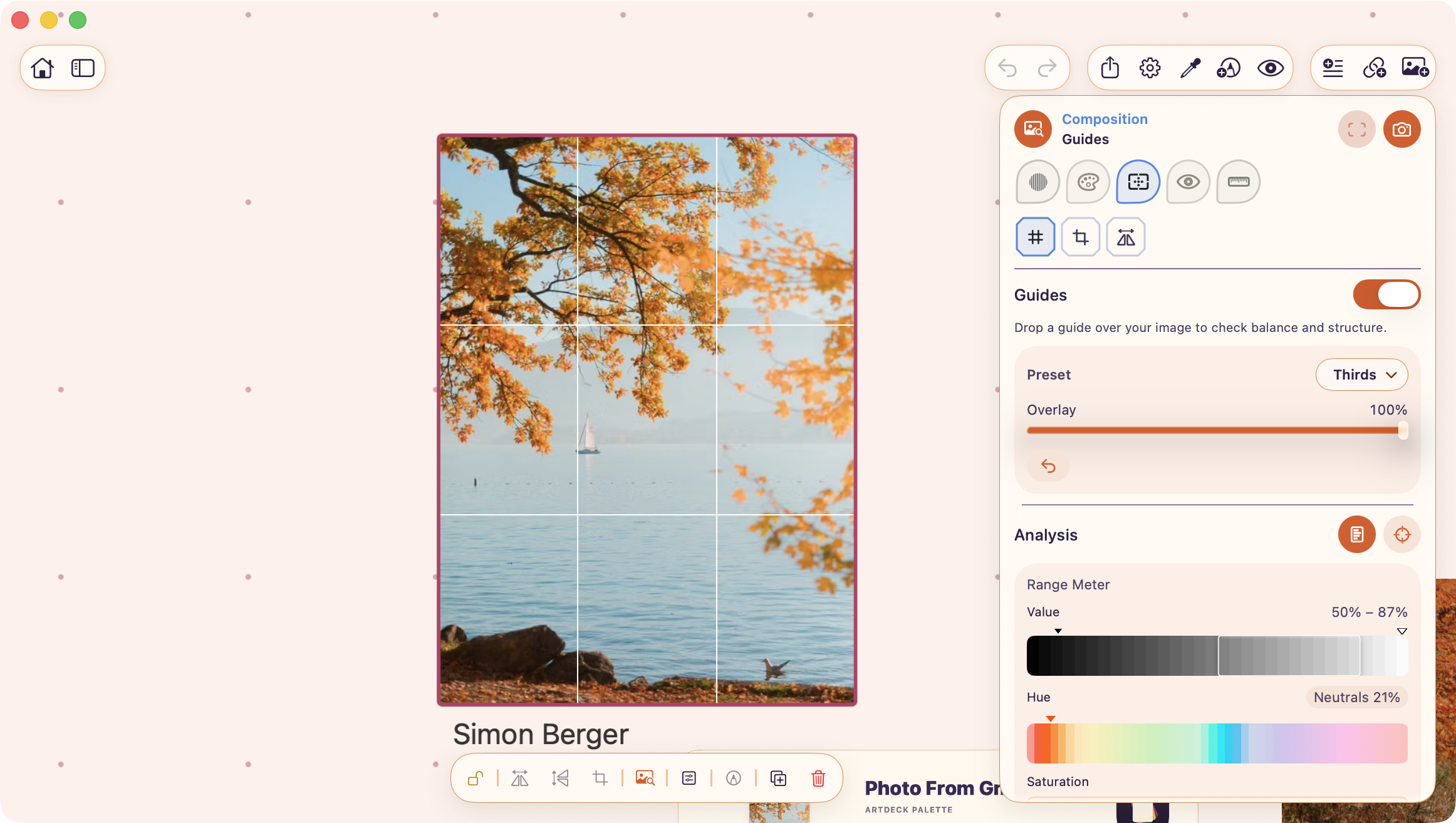
The Composition lens lays guide overlays on a selected image.
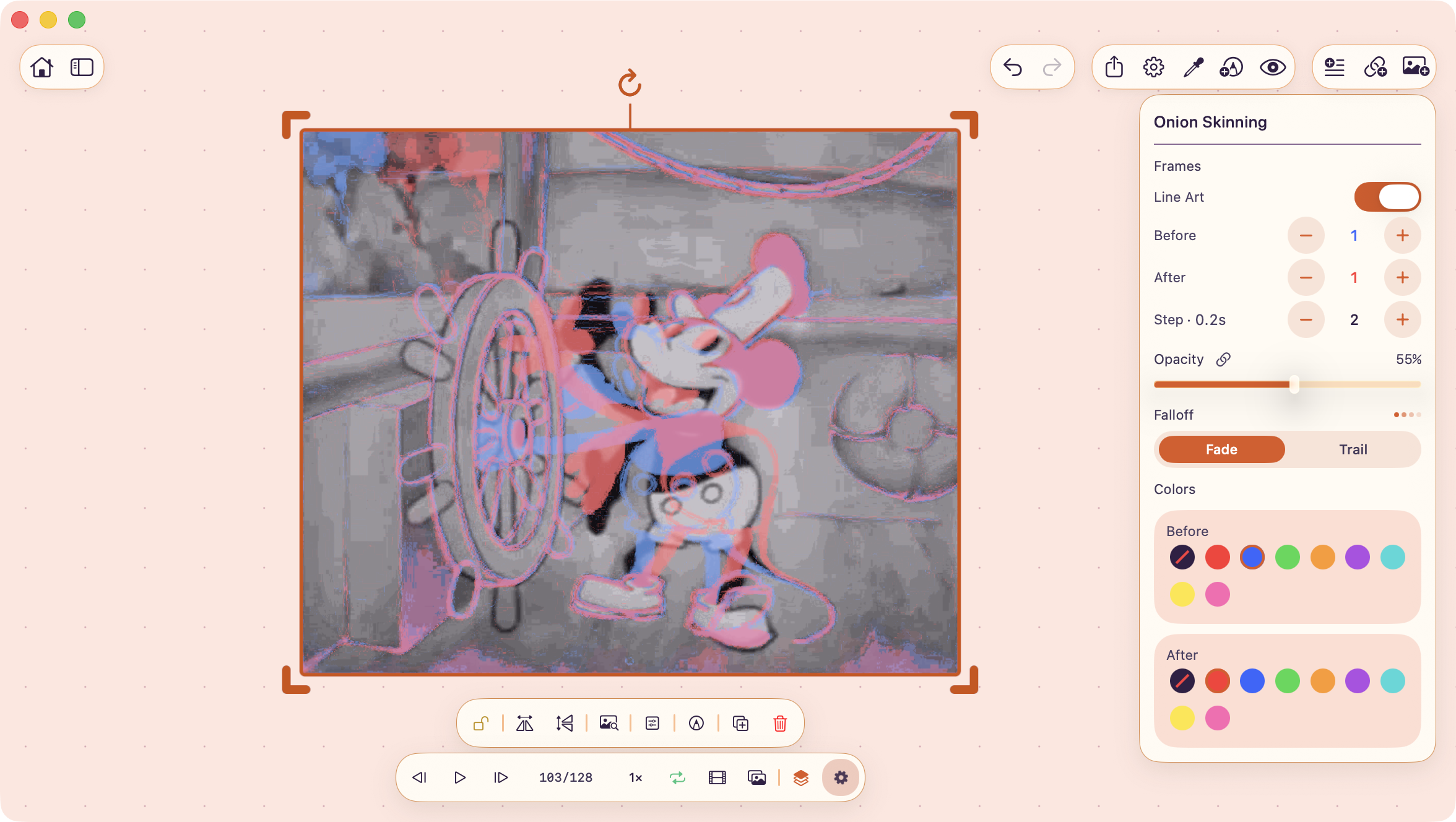
Onion skinning overlays nearby video or GIF frames while you step through motion.
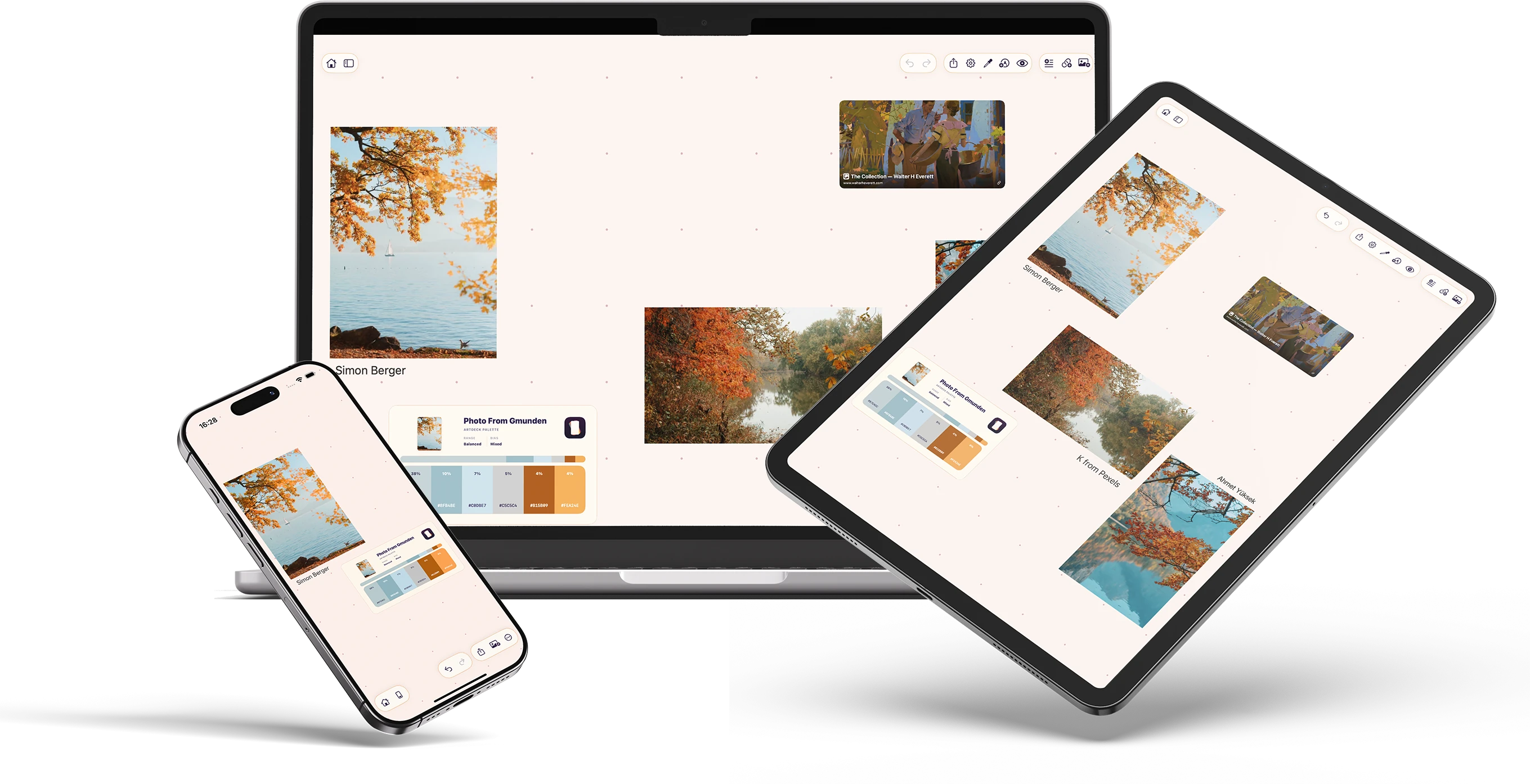
The same board open on iPhone, iPad, and Mac.
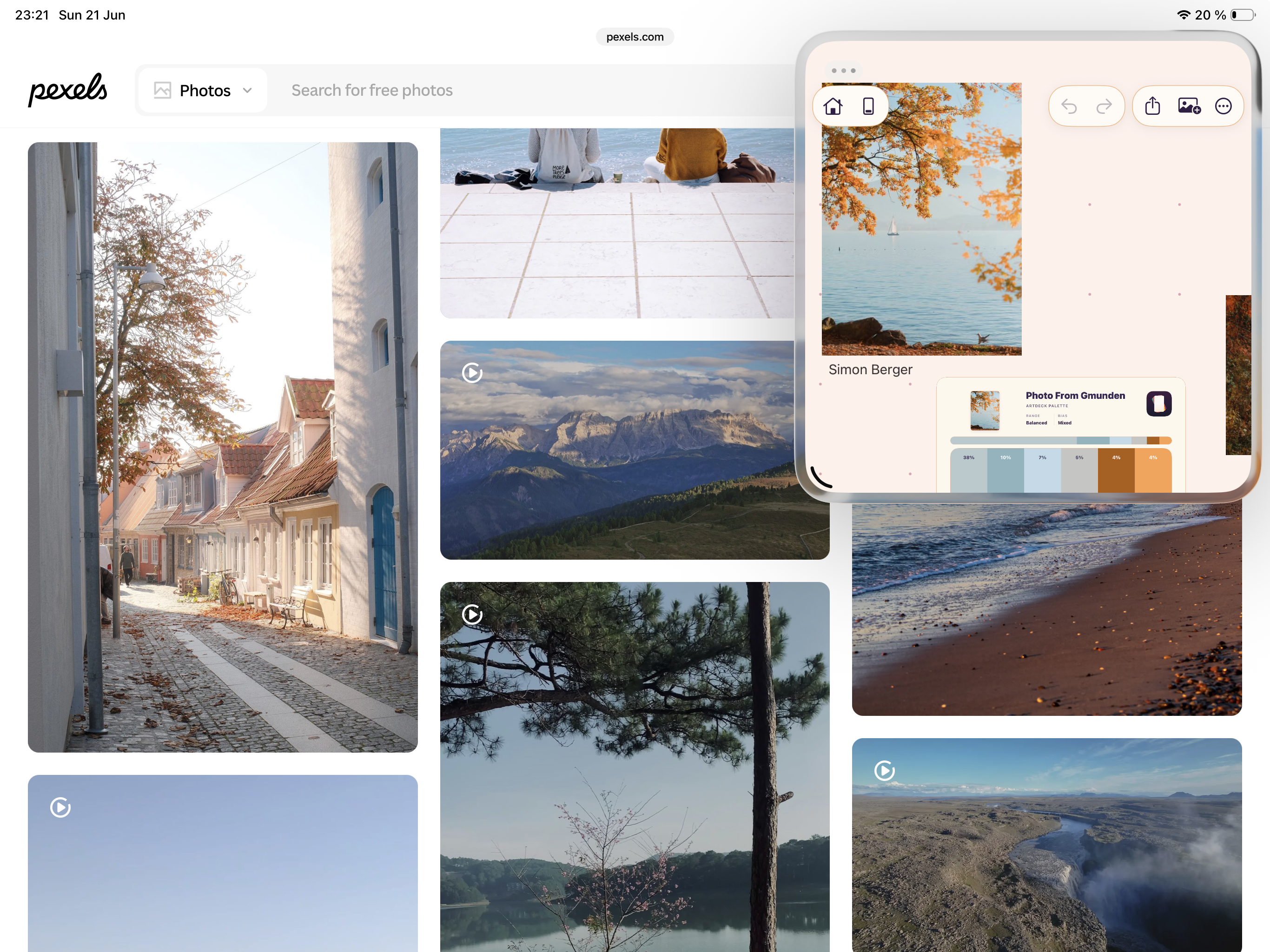
On iPad, share the screen with another app while you collect or check references in ArtDeck.
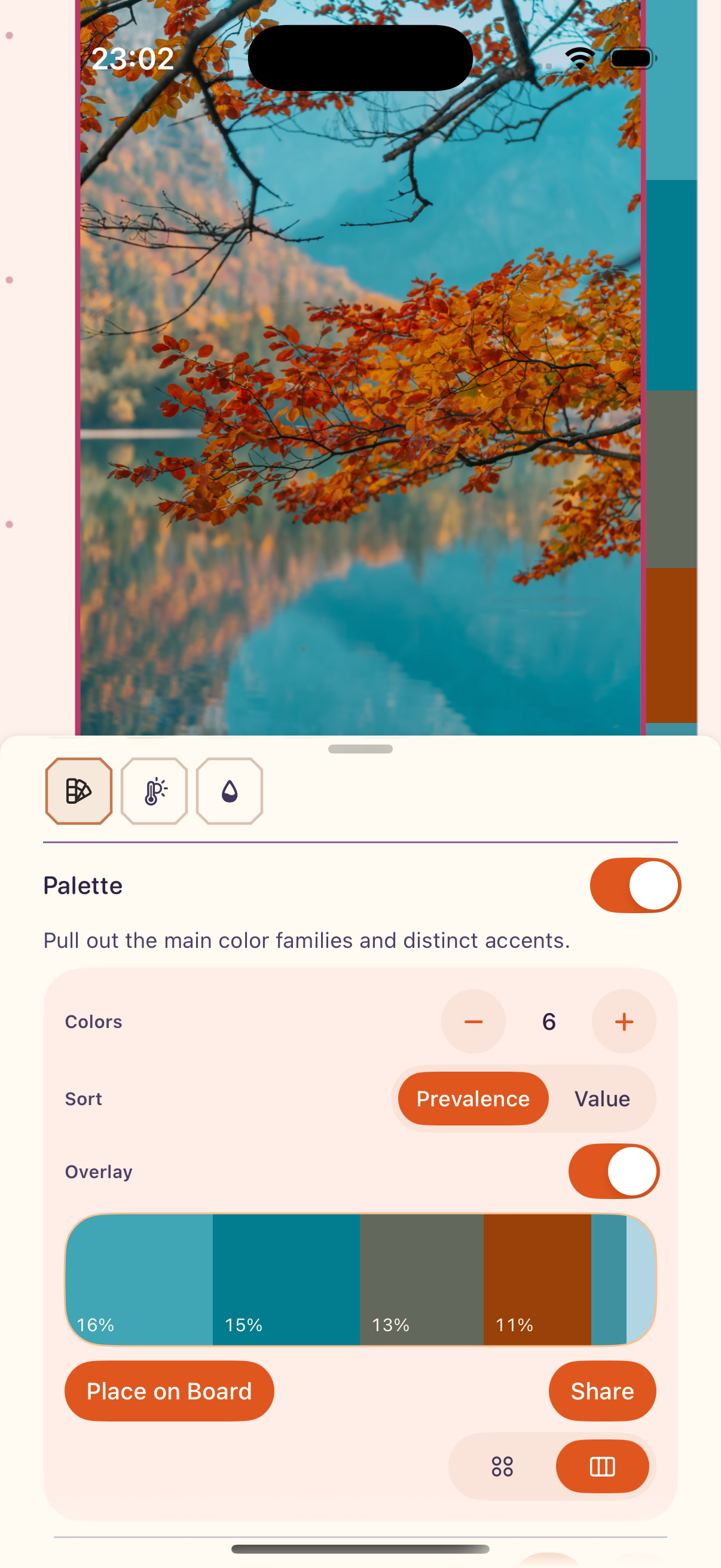
On iPhone, ToolBox opens as a sheet while the selected reference stays visible above it.
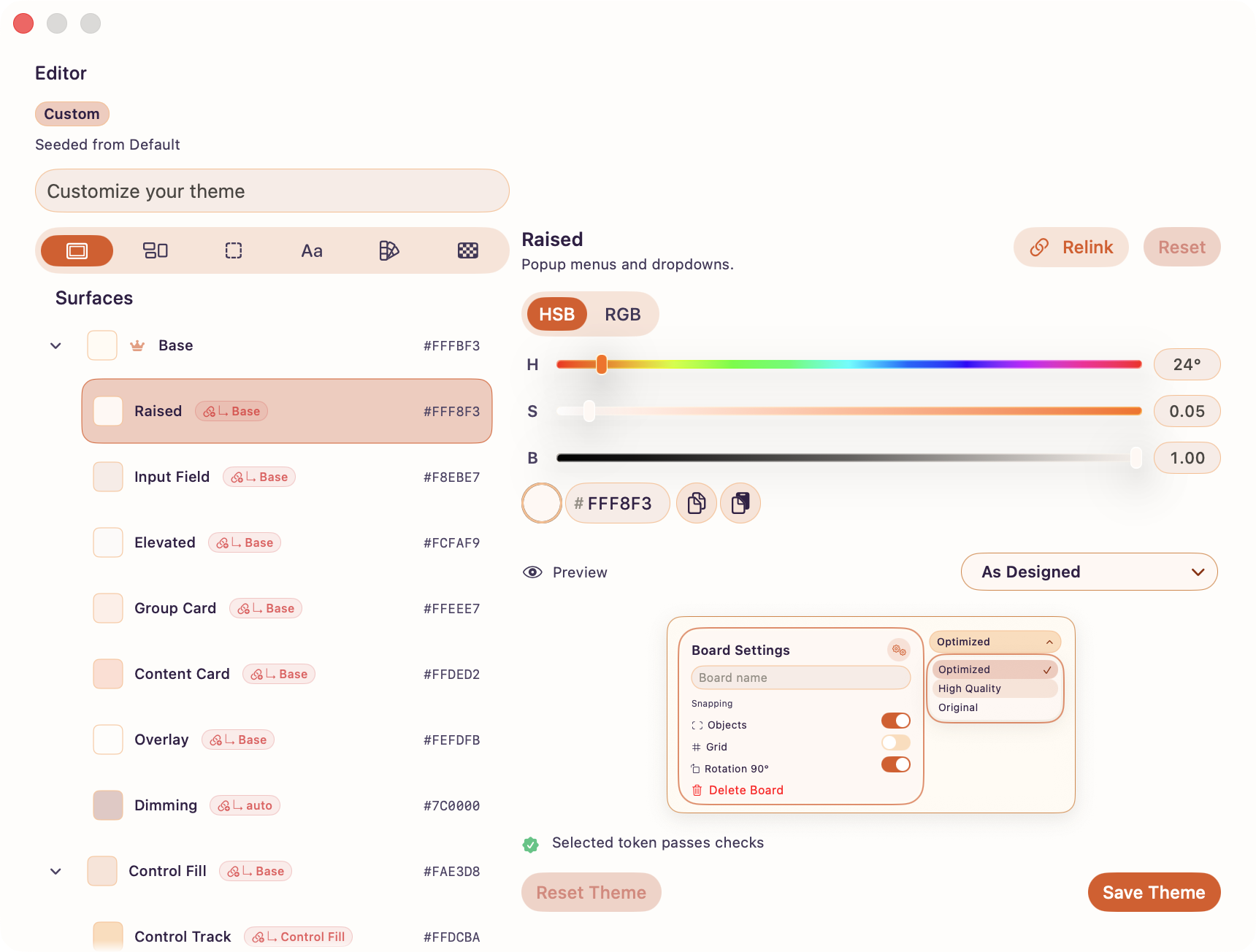
The theme editor changes interface color roles with a live preview and diagnostics.
Downloads
The ZIP contains the fact sheet, SVG and PNG logos, original screenshots, a transparent device mockup, and a social card.
You can also download the main files below.
 Complete press kit ZIP with the fact sheet, logos, screenshots, and promotional images
 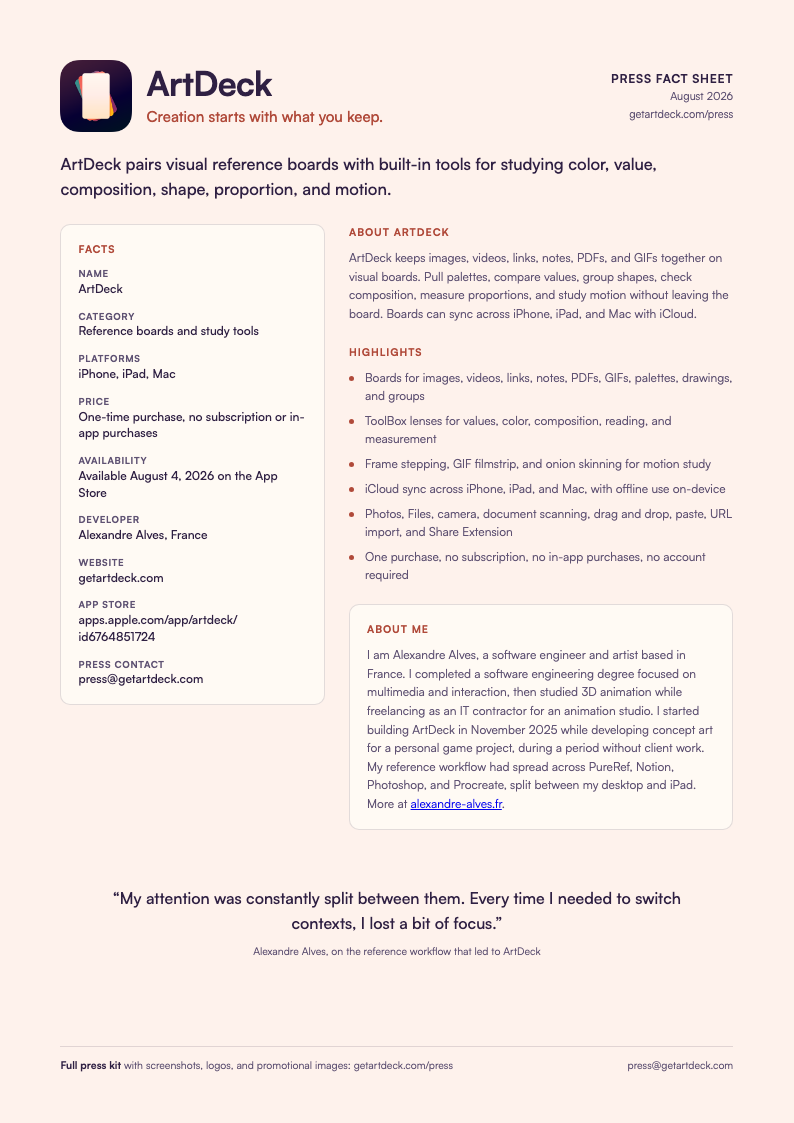 Press fact sheet One-page PDF with facts, descriptions, and contact
  App icon PNG, 1024 x 1024 (SVG in the ZIP)
  Logo mark PNG, transparent (SVG in the ZIP)
 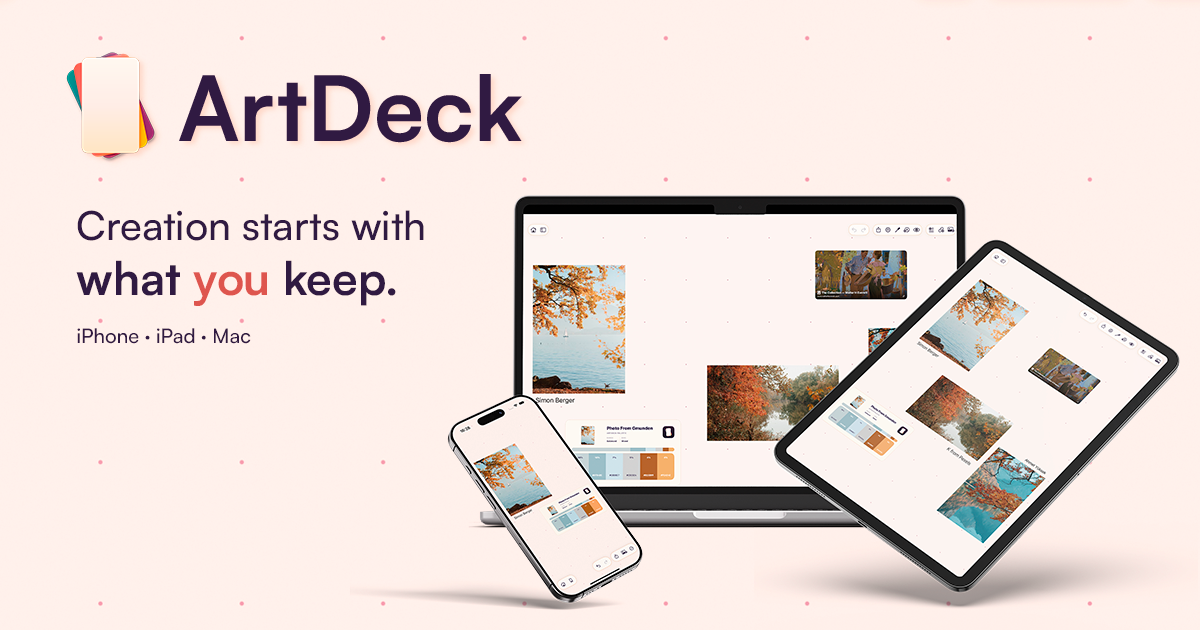 Social card PNG, 1200 x 630, ready for link previews and social posts
 Contact
Email me with questions or requests for extra screenshots.
press@getartdeck.com