

Compare the current options
I compared every reference app here. Check where it runs, what a board can hold, and what you can do with your references.
| App | Native iPad | Platforms | Media | Study tools | Price model |
|---|---|---|---|---|---|
| ArtDeck | Yes | iPhone, iPad, Mac | Images, GIFs, video, PDFs, links, notes | Yes | 7-day trial, then one purchase |
| PureRef | No | Windows, Mac, Linux | Images and GIFs | No | Personal pay-what-you-want; separate commercial licenses |
| Refbox | Yes | Windows, Apple-silicon Mac; separate iPhone/iPad app | Desktop: images, video, GIFs, 3D, PDFs, links. Mobile: images | No | Desktop trial, then one purchase; mobile free |
| VizRef | Yes | iPad, Apple Vision; separate VizRef Lite for iPhone | Images and GIFs | No | Paid app; Lite sold separately |
| ImgRef | Yes | iPhone, iPad, Mac, Apple Vision | Images, GIFs, MP4 video, text; notes and link cards with Pro | No | Free base canvas; most controls by subscription |
| Eagle | No | Windows, Mac | Images, video, audio, PDFs and other asset formats | No | 30-day trial, then a perpetual license |
| Reference Board | Yes | iPhone, iPad, Mac, Apple Vision; OS 26+ | Images, video, GIFs, YouTube, notes | No | One-time purchase |
| Freeform | Yes | iPhone, iPad, Mac | Images, video, PDFs, links, notes | No | Free core editor |
| Milanote | Yes | Web, desktop and mobile apps | Images, video, GIFs, PDFs, links, notes | No | Limited free tier; paid subscriptions |
If your iPad is older, check the minimum version: ArtDeck needs iPadOS 18, VizRef 13.2, ImgRef 15.6, Reference Board 26, and Refbox Mobile 26.2.
Yes in the Study tools column means the full set: values and Notan, color palettes, composition, readability, measurement, and motion study with onion skinning. Grayscale toggles, color pickers, or frame stepping on their own don’t count.
ArtDeck and Refbox work locally and offline, while Milanote’s mobile apps need internet.
A shortlist for your workflow
You draw on an iPad? PureRef and Eagle are out. Refbox is only an image viewer there. That leaves ArtDeck, VizRef, ImgRef, Reference Board, Freeform, and Milanote.
Working on Windows? The reference board software can be PureRef (it also runs on Linux) or Refbox. For a desktop archive of thousands of files, you can go with Eagle on its own or use it to feed an ArtDeck board when you work on a project.
Keep references next to another app
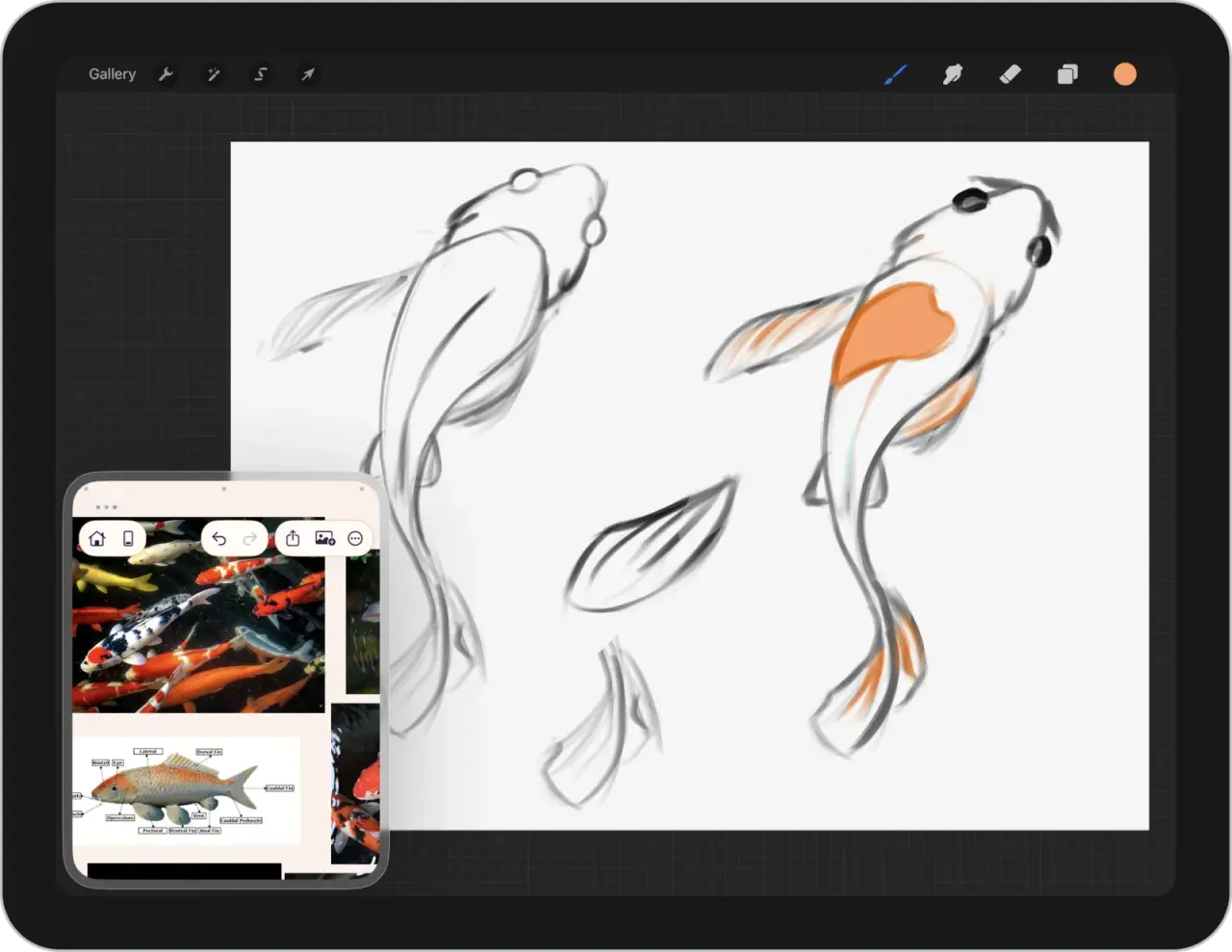
On iPad, ArtDeck opens next to Procreate, Affinity, or whatever you draw with. You can use Split View, Slide Over, or Stage Manager. On a Mac, the board can stay next to or on top of other apps.
Pick a color and its hex code goes to the clipboard, ready for Procreate’s color panel. You can also copy an image or a selection from your board and paste it into your drawing app. The Procreate reference workflow shows the window setup and the color handoff step by step.
The study tools work on the reference directly on the board, and a study you save can stay next to it. And a board can sync through your own iCloud to your iPhone, iPad, and Mac.
Now the others:
PureRef is desktop only. On Windows, Mac, or Linux, its window can stay above every app or a specific app. It can let clicks pass through to the app underneath and turn selected images into overlays. You can also crop, grayscale, color pick, do basic annotations, lock items, and play GIFs, but not videos. For more details: the PureRef alternative for iPad and iPhone.
Refbox is a desktop app first. On Windows and Apple-silicon Macs, the references float above other apps, and its Box rearranges the media when you resize. Its iPad app needs iPadOS 26.2, imports images only, and swaps .refbox files with the desktop version. Next to Procreate, it’s an image viewer, like a photo gallery.
VizRef is an iPad board for images and GIFs. It can sit next to Procreate in Split View and has packing, crop, flip, grayscale, and GIF frame stepping. The current version, 1.1.7, is from June 2021. The VizRef comparison covers the price difference and the study tools.
ImgRef’s free canvas has keyboard shortcuts, multi-item alignment, and magnetic guides. You need the Pro subscription for notes, crop, grayscale, color analysis, layers, and link cards. The listing mentions no floating window on Mac and no sync between devices, and moving a board means a manual backup and file import. Check the paywall and current reviews first.
Choose a project board or a reference library
A board can be for gathering multiple references or a single project. It can hold images, footage, links, notes, and studies you need while you work on something.
ArtDeck keeps that on one reference board, but you can create more than one. You can group, nest, align, and lock items, and also keep a study next to its source. Find the project again later by label, favorite, or archive status.
If your wider collection lives on Pinterest, the Pinterest reference workflow shows how to make it work with ArtDeck.
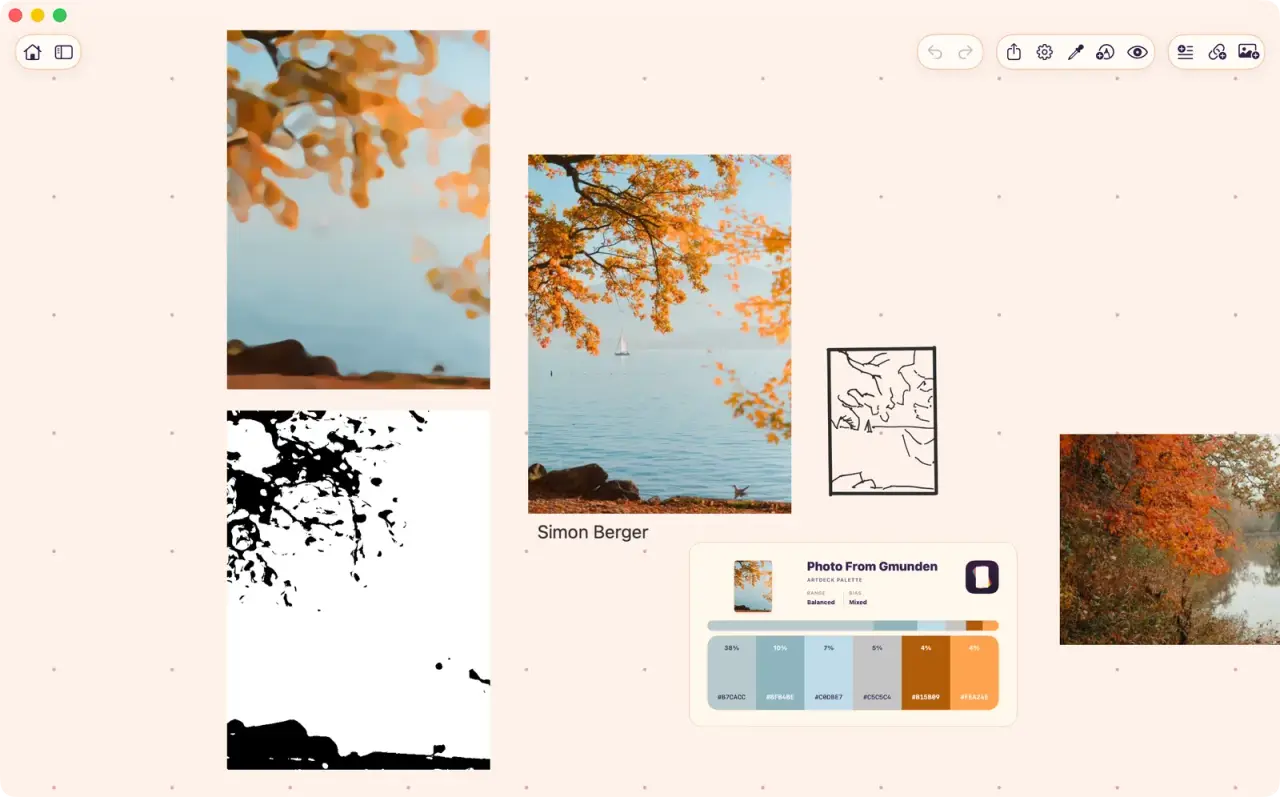
Freeform and Milanote fit when the references are part of a bigger shared canvas or a moodboard for a team. The Freeform comparison covers when a shared canvas is best.
On iPad, Reference Board 1.5.4 goes more toward a library: folders, OCR, face and object recognition, color and similar-image search, natural-language search across boards, shared iCloud boards, and view-only web publishing.
Eagle is the library for desktop. Its browser extension saves images, screenshots, or the whole page. You can then file them into folders with tags. It has smart folders, saved filters, ratings, duplicate checks, batch operations, and search by keyword, tag, color, shape, date, dimensions, or file type.
Pairing a library with a project board
You can use Eagle and ArtDeck together on Mac, because a library and a project board have different jobs. Keep the long-term library in Eagle. Then, for a new project, drag the images you need onto an ArtDeck board, and add the project’s links, notes, video, and studies after.
Eagle’s tags, ratings, and later changes never reach the ArtDeck board, and a study from ArtDeck you want to keep has to be copied back to Eagle by hand.
The library-to-project workflow covers more about this kind of workflow.
Check where the app runs
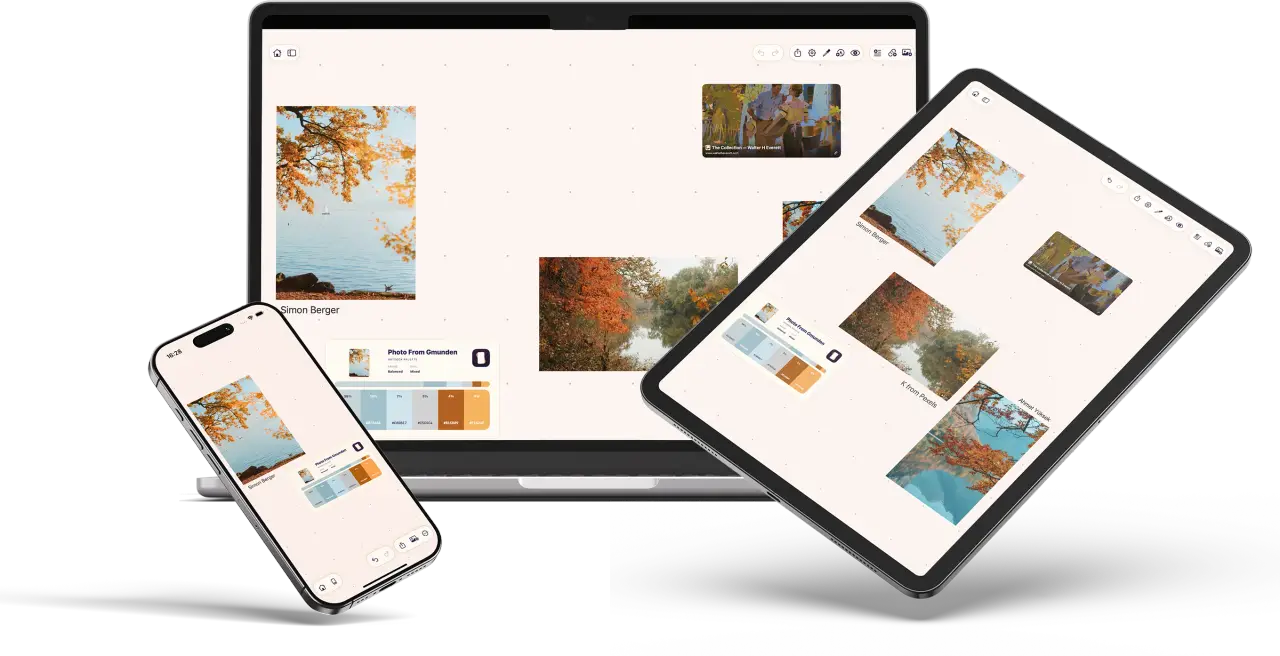
ArtDeck runs on iOS 18, iPadOS 18, and macOS 15 or later, and the same board opens on your iPhone, iPad, and Mac.
Running on a device doesn’t mean it works well there. The best option is to use the trials to check how the board sits next to your drawing app, and whether there are performance issues or overheating. But also how a project reopens on other devices.
Test the shortlist with one project
Most of these apps have a trial or a free tier, except Reference Board and VizRef, which are paid up front.
Take one project and try to build it with one or two of them. Use enough references to see how the board handles it when it gets busy.
- Import your references and arrange them.
- Do something you do often, like searching for a source, comparing two images, or stepping through a video.
- Close the board and come back to it later. Is the arrangement still easy for you to pick up?
- If you use a second device, sync or move the project and check that everything comes across.
Notice every time you have to work around what the app allows. It matters more than a feature you’d only use once in a while.
Common questions
Which art reference app works next to Procreate on iPad?
ArtDeck, VizRef, and ImgRef all open in Split View next to Procreate. ArtDeck is the one that also holds video, PDFs, links, and notes, and lets you pick a color and paste it into Procreate’s color panel. It also has study tools for your references.
Which of these run on iPad?
ArtDeck, VizRef, ImgRef, Reference Board, Freeform, and Milanote. Those are the PureRef alternatives on iPad, since PureRef and Eagle are desktop only. Refbox has an iPad app, but it only imports images.
Is there a free reference board app?
Freeform, Milanote’s basic tier, Refbox Mobile, and ImgRef’s base canvas are free, and PureRef is pay what you want for personal use. ArtDeck, desktop Refbox, and Eagle have trials. Reference Board and VizRef are paid.
Do these apps sync between devices?
ArtDeck syncs through your own iCloud account, every board or only the ones you pick. It also works fully offline, and you can clear its iCloud data from inside the app without losing the boards on your device.
Reference Board syncs through iCloud and can share boards. Freeform has one iCloud switch for the whole app, and Milanote stores boards in its own cloud. Refbox swaps .refbox files between desktop and mobile. ImgRef’s listing describes backup and package import but not syncing. PureRef, Eagle, and Allusion save local files you move yourself.