

The short decision
If the board has to open on an iPad, use ArtDeck. If everything stays on one desktop, PureRef’s window modes and its Windows and Linux builds are good reasons to keep it.
Most of what you do every day works in both, so your habits come with you: drag and drop, crop and flip, grayscale preview, color picking, notes, drawings, groups, align and pack, locking, stacking order, GIF playback with frame stepping, and keyboard control.
| Decision | ArtDeck | PureRef 2.1 |
|---|---|---|
| Platforms | iPhone, iPad, and Mac, on iOS 18, iPadOS 18, or macOS 15 and later. | Windows 10+, macOS 10.14+, and Linux. No iPhone or iPad version. |
| License | Free for 7 days, then one App Store purchase at one price, with no commercial tier and no subscription. | Choose the amount for personal use. Commercial work costs $49 once for up to three users, then $8 per seat per month billed annually or $10 billed monthly. |
| Beyond images | Video, PDFs, link cards with previews, and saved studies on the same board. | Images and animated GIFs. Video files are not among its supported formats. |
| Video reference | Yes. Playback speed, frame stepping, frame export, and onion skinning. | No. Its motion controls apply to animated GIFs only. |
| Study tools | Yes. Values and Notan, color and palettes, composition, readability, measurement, and motion study with onion skinning. Save studies on the board. | No. Grayscale, color picking, and GIF frame controls, but no analysis suite or onion skinning. |
| Board file | Optional per-board iCloud sync, plus a restorable .artdeck export. No .pur import; an existing board comes across as exported images. | A local .pur scene file, with image data embedded by default or linked to local files. |
| Click-through window | No. Keep on Top does not pass clicks to the app beneath it. | Yes. Transparent To Mouse passes clicks to the underlying app. |
| Desktop window | Keep on Top on Mac. | Always on top, always on top of one chosen app, click-through, and a mode that gives each image its own floating window. |
ArtDeck covers iPhone, iPad, and Mac
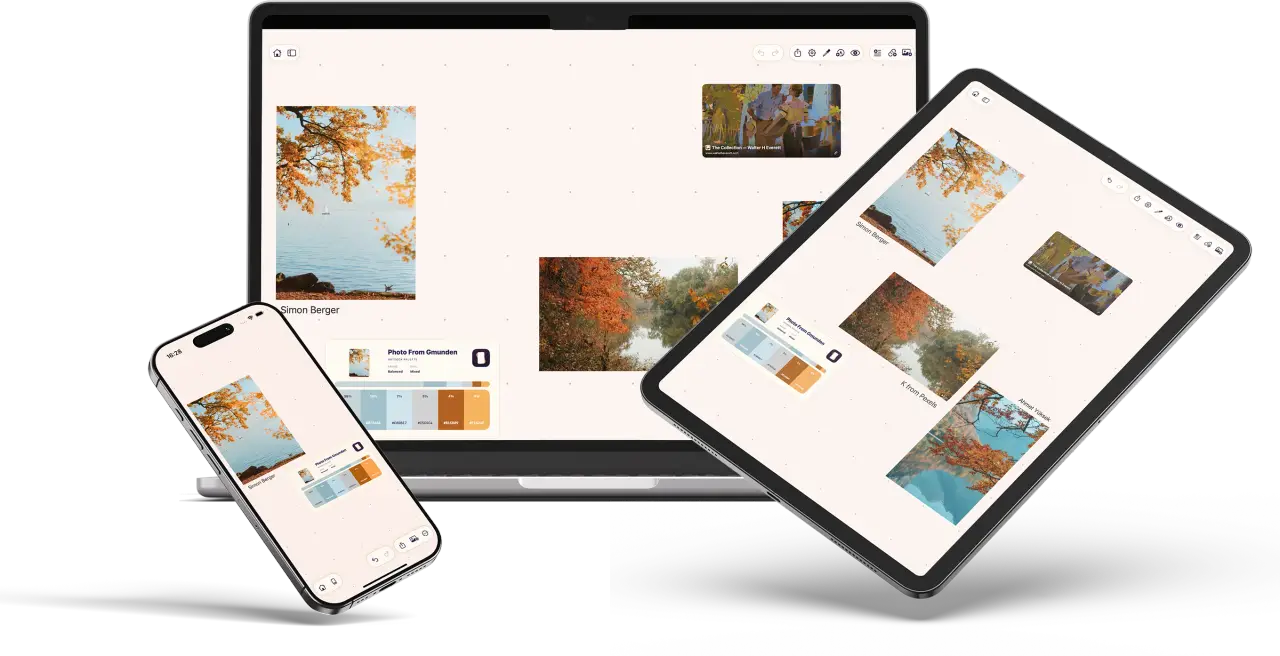
You save references on every device: from Safari on the Mac, from a message or a photo on your phone. In ArtDeck they go on the same board, and it’s waiting on all your devices when you need it, including the iPad next to your drawing app.
PureRef stays on the desktop, with no iPhone or iPad version, so its board never reaches the iPad.
ArtDeck stops at iPhone, iPad, and Mac, and needs iOS 18, iPadOS 18, or macOS 15. If your board has to reach Windows or Linux, that’s PureRef, and the same goes for an older Mac: the PureRef Mac build still supports macOS 10.14.
Boards work offline, and there’s no ArtDeck account to create. Sync runs on your own iCloud, for every board or only the ones you choose, and the others stay on one device.
On iPad, Split View and Stage Manager keep the reference board in its own pane next to whatever you’re drawing in.
Moving a PureRef board across
ArtDeck doesn’t read .pur files, so a board comes across as its images. PureRef has an export for exactly that.
File > Export > All images (⌥⌘I on Mac, Ctrl+Alt+I on Windows) writes every image on the scene to a folder you choose, in jpg, png, bmp, or the original format, cropped or uncropped depending on one checkbox. Selected images does the same for a subset.
Drop that folder onto an ArtDeck board and the references are on the canvas. On an iPad, put the folder in Files or iCloud Drive first, then drag from there.
The layout doesn’t come across. Tidy packs the selection, and snapping, align, and distribute line up the rest, so it takes a few gestures to get a clean board again. It’s also a good time to leave out the images you stopped using.
To keep a picture of the old arrangement, File > Export > Scene (⌘E on Mac, Ctrl+E on Windows) saves the whole canvas as one image you can drop on the new board. If a layout matters exactly as it is, keep that scene in PureRef and start ArtDeck with the boards you need on the iPad.
PureRef has more specialized desktop window modes
PureRef’s window can stay above every app, or only above one app you choose, so it floats over your painting program and stays out of the way everywhere else. It can also pass mouse clicks through to whatever is underneath, so a reference can sit over the canvas while your clicks still reach the painting app. Overlay mode gives each image its own small window, and a few references can sit around the edges of the screen instead of inside one board. Its shortcuts can be rebound, and ArtDeck’s are fixed.
ArtDeck has Keep on Top on Mac, which holds the board above other windows, but no click-through and no separate overlays. A transparent workspace on Mac is a roadmap candidate, not something you can use today. If click-through or per-image overlays are part of how you paint on a desktop, keep PureRef for that job.
None of those modes exist on an iPad, in either app. The iPad has Split View and Stage Manager instead, with the board in its own pane next to the drawing app, and PureRef doesn’t run on it at all.
Motion and image study differ most
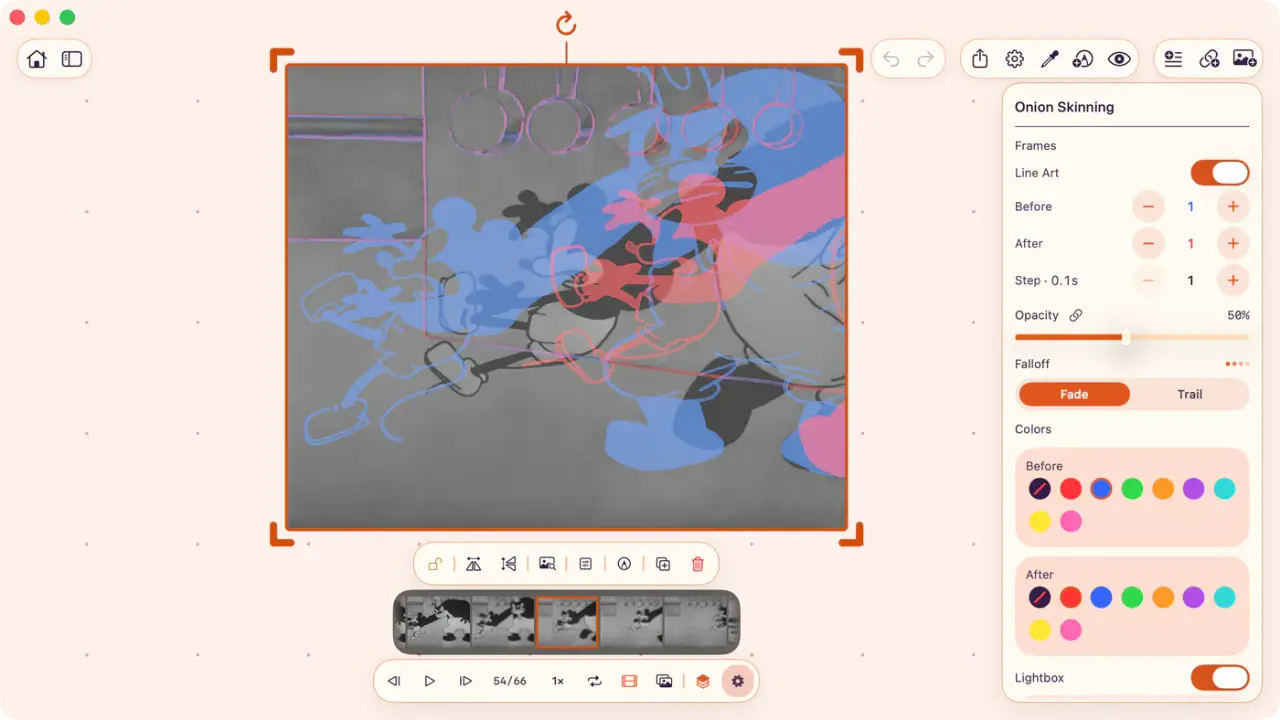
ArtDeck plays video right on the board, with speed control and frame stepping, and you can export the frame you stop on as a new image. Video and GIFs both get onion skinning, and GIFs also get a filmstrip.
PureRef’s motion controls stop at animated GIFs, and it doesn’t play video.
Onion skinning shows the frames before and after the current one as color ghosts, one color for each side, so you can read the spacing between poses straight off the footage. You choose how many frames, how far apart they’re sampled, and whether they reduce to line art. The motion study page shows the controls, and the frame-by-frame workflow walks through them on a real clip.
Still images are closer, and each app has a few things the other doesn’t. PureRef has per-image opacity, pixel coordinates, and a choice between nearest-neighbor and bilinear sampling. ArtDeck keeps the full image behind a crop, so you can change the framing later without importing the file again, and a color you pick goes to the clipboard, ready for the app you paint in.
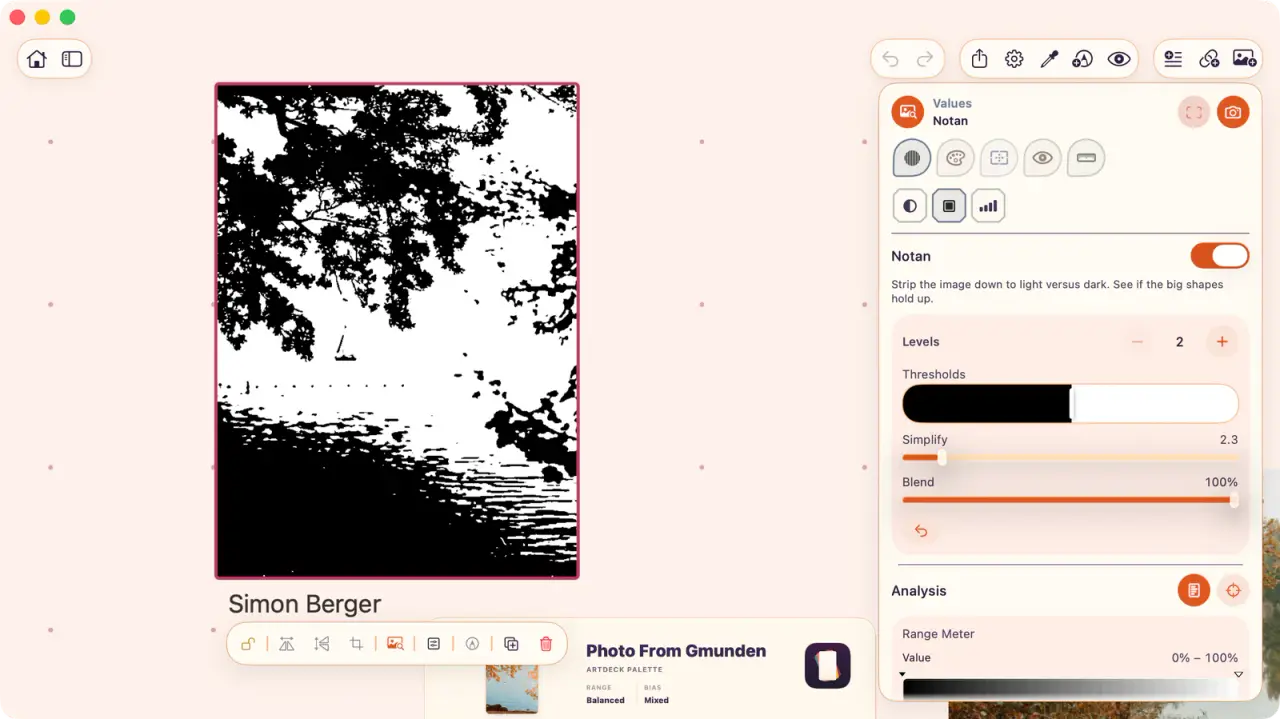
Reduce a photo to two values and you see right away how the big shapes work, or don’t. The palette shows the main colors and how much of the image each one covers, and measuring turns a proportion you’d guess at into a number.
You can save each study next to its source, and opening a lens takes two taps, whether you’re practicing or just curious why an image works. PureRef has no equivalent to these lenses. The study tools page covers what each lens measures.
Commercial work changes the price
PureRef’s personal tier is pay what you want, for hobby and educational use. Paid work needs the commercial license: $49 once for up to three people, then $8 per seat per month billed annually, or $10 billed monthly. PureRef 1.x keeps its original license, which allowed commercial use.
ArtDeck is free for 7 days, then one App Store purchase, the same for personal and client work. There’s no seat count, and no subscription to move onto as a studio grows.
Pick the app around your working setup
What each app is the right answer to
PureRef desktop reference canvas
- References live mainly on a Windows, Mac, or Linux desktop.
- Advanced always-on-top, click-through, or per-image overlay behavior is part of how you paint.
- A board of stills and GIFs is enough, without video reference or study lenses.
- You need rebindable shortcuts, or a macOS version older than 15.
ArtDeck board and study layer on Apple devices
- The board needs to work natively on iPad or iPhone as well as Mac.
- Optional per-board iCloud sync beats managing a scene file across devices.
- The reference moves, and reading timing and spacing off video matters as much as holding stills.
- You want to study what you collected, for deliberate practice or simple curiosity about why an image works.
- Video, PDFs, source links, palettes, histograms, and saved studies belong on the same board as the images.
You can use both: PureRef around a desktop painting or 3D app, and ArtDeck for the boards that go between your Apple devices. If you’re still not sure, start from where the board has to open.
Common questions
Is there PureRef for iPad or iPhone?
No. PureRef only makes builds for Windows, macOS, and Linux. There’s no PureRef iPad app, no PureRef iPhone app, and no PureRef iOS or mobile version of any kind, and remote desktop still needs a desktop running it.
Can ArtDeck open a .pur file?
No, there’s no importer. Export the images from PureRef with File > Export > All images, then drop that folder onto an ArtDeck board. The pictures come across, and tidy, align, and distribute put them back in order in a few gestures.
Do I need a separate license for client work?
Not with ArtDeck. After the 7-day trial it’s one App Store purchase: no commercial tier, no seat count, no subscription. PureRef separates the two: personal use is pay what you want, and paid work needs a commercial license.
Does ArtDeck need an account or an internet connection?
Neither. There’s no ArtDeck account, and boards are local and work offline. Sync runs on your own iCloud, for every board or only the ones you choose, and the others stay on a single device.
Is PureRef still the better choice for anything?
Yes. PureRef is genuinely useful. Before I built ArtDeck, my references were spread across four apps, and PureRef was one of them.
Its advanced always-on-top, click-through, and per-image overlay modes aren’t in ArtDeck, it runs on Windows and Linux, and it supports older macOS versions. If you paint on a desktop and those modes are part of how you work, keep it. On a Mac the two work side by side, with ArtDeck holding the boards that travel and the studies taken from them.
For an image and GIF board on iPad, the VizRef comparison covers another option. The reference app comparison covers free canvases, desktop libraries, and the Windows and Linux tools.