

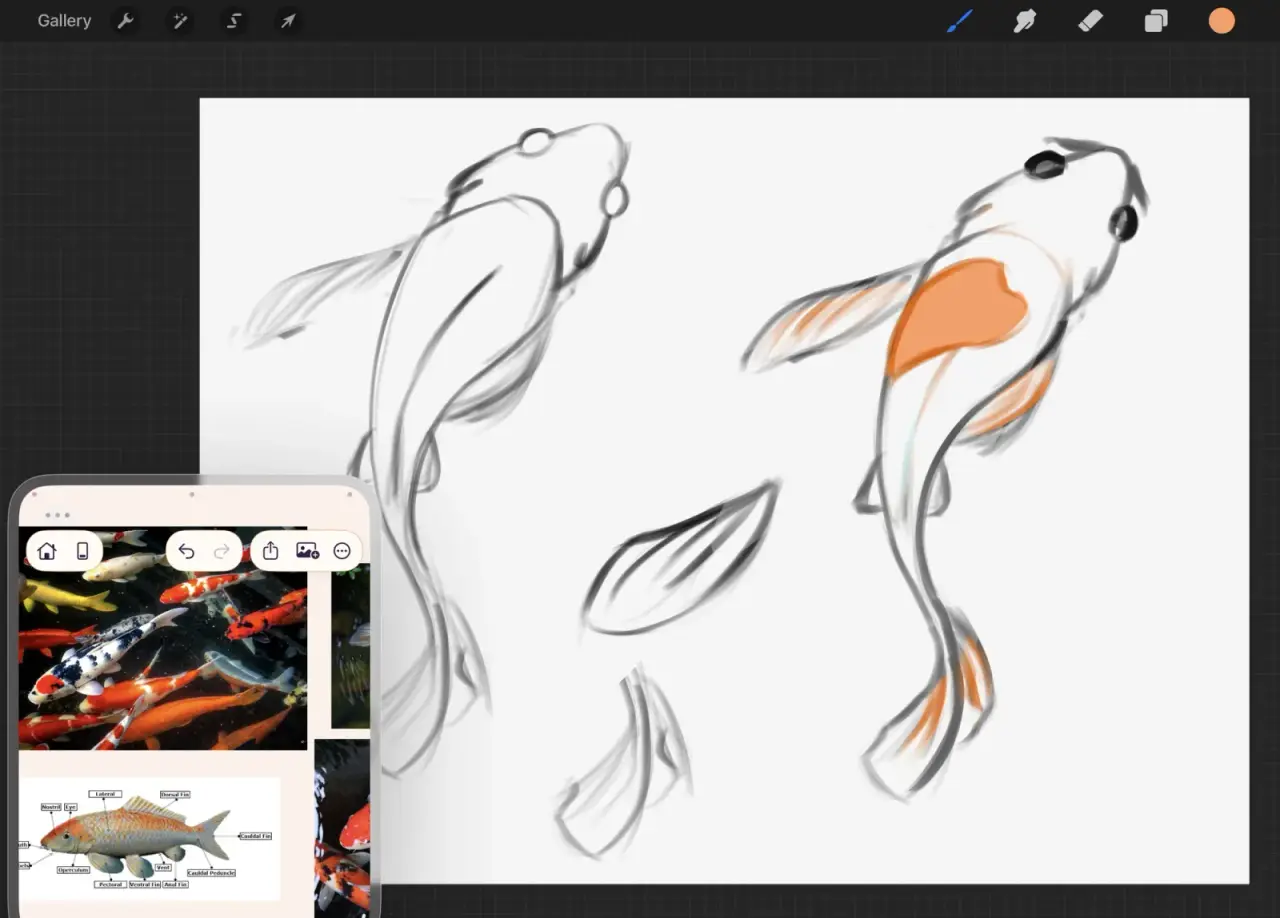
The short answer
Use ArtDeck for a new board on a current iPad. Everything you do every day in VizRef is there, and the board takes a lot more than images.
Keep VizRef if your iPad can’t run iPadOS 18, or if a board of images and GIFs is everything you need.
| Decision | ArtDeck 1.1.4 | VizRef 1.1.7 |
|---|---|---|
| Current release | Version 1.1.4, September 2026. | Version 1.1.7, June 2021. No later release appears in the App Store history. |
| Arrange and organize | Align, distribute, match size, snapping, z-order, groups and nested groups, item locking, Pack, Tidy Up, undo, and redo. | Multi-select, automatic packing, board thumbnails, and Focus mode, which stops items moving as you pan. |
| Board content | Images, GIFs, video, PDFs, link cards, notes, drawings, and saved studies. | Images and animated GIFs. |
| Video files | Yes. Playback and frame-by-frame study. | No. Animated GIFs are supported instead. |
| Study tools | Yes. Values and Notan, color and palettes, composition, readability, measurement, and motion study with onion skinning. Save studies on the board. | No. Grayscale and GIF frame controls, but no analysis suite or onion skinning. |
| Devices and sync | iPhone, iPad, and Mac in one app. Keep boards in iCloud or on a single device. Both work offline. | iPad and Apple Vision. VizRef Lite for iPhone is a separate purchase, with no sync between them. No Mac version. |
| Access | Every feature for seven days, then one permanent App Store purchase. | A slightly lower price up front. VizRef Lite is sold separately. |
| Minimum system | iOS 18, iPadOS 18, or macOS 15. | iPadOS 13.2 for VizRef; iOS 13.2 for VizRef Lite. |
The canvas feels familiar
Both apps import batches from Photos and Files, take images from the web, and let you select and move several items at once. Crop, flip, rotate, grayscale, and frame-by-frame GIF playback are in both. ArtDeck also takes items from the camera, a document scan, the clipboard, and the Share sheet.
ArtDeck aligns a selection to any edge or center, spaces it evenly, and matches width, height, scale, or visual size. Items snap to the grid, to each other, or to right angles. Groups can go inside other groups, and you can undo any of it.
VizRef’s Focus mode hides most of the interface and stops a stray touch from moving an image while you pan. In ArtDeck, you lock an item or a whole group instead, and the rest of the board stays editable.
Both apps work with iPad multitasking. ArtDeck opens in Slide Over, Split View, or Stage Manager next to Procreate, Fresco, Clip Studio Paint, or anything else. On a Mac, Keep on Top holds the board above the app you’re working in. The iPad reference board workflow shows the window setup for each of those apps.
The board carries more than images
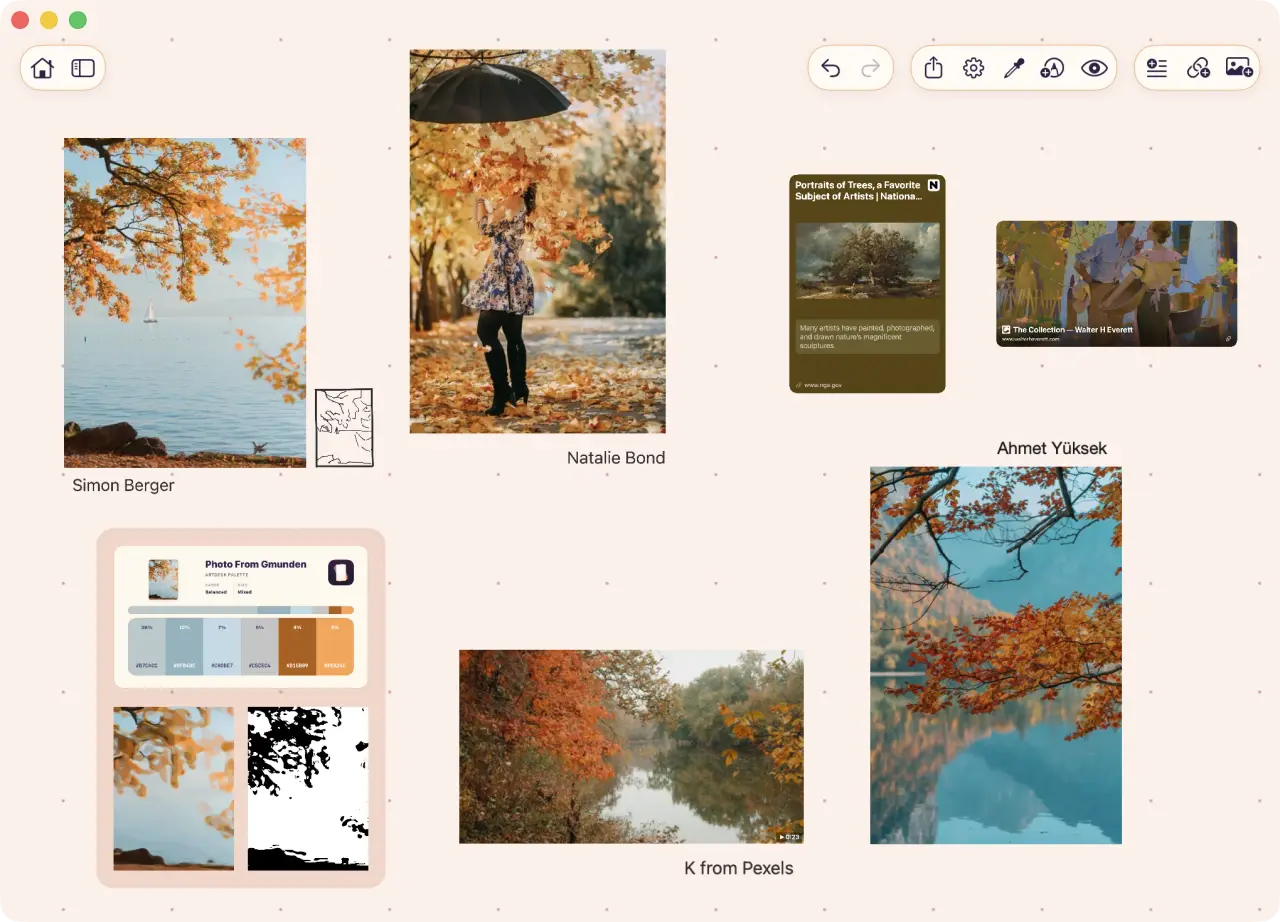
A reference board ends up holding links, videos, PDFs, and notes about why you saved something. Before ArtDeck, my references were spread across four apps, and I built it so I’d only need one.
On the ArtDeck reference board, none of it has to become a screenshot. A link keeps its preview card, a video its playback controls, and a PDF up to 300 pages. Notes sit next to the image they explain, and you can draw over an item or mark the canvas with pen, highlighter, and shapes.
VizRef’s feature list covers images and animated GIFs.
GIF playback becomes motion study
ArtDeck steps through a GIF frame by frame, like VizRef’s GIF timeline, and does the same with video. A phone recording or a film clip can sit on the same board as a GIF.
Onion skinning draws the frames before and after the current one on top of it as colored ghosts, and you choose their colors, opacity, and falloff. Line-art mode drops the texture, so the spacing between poses is easier to read.
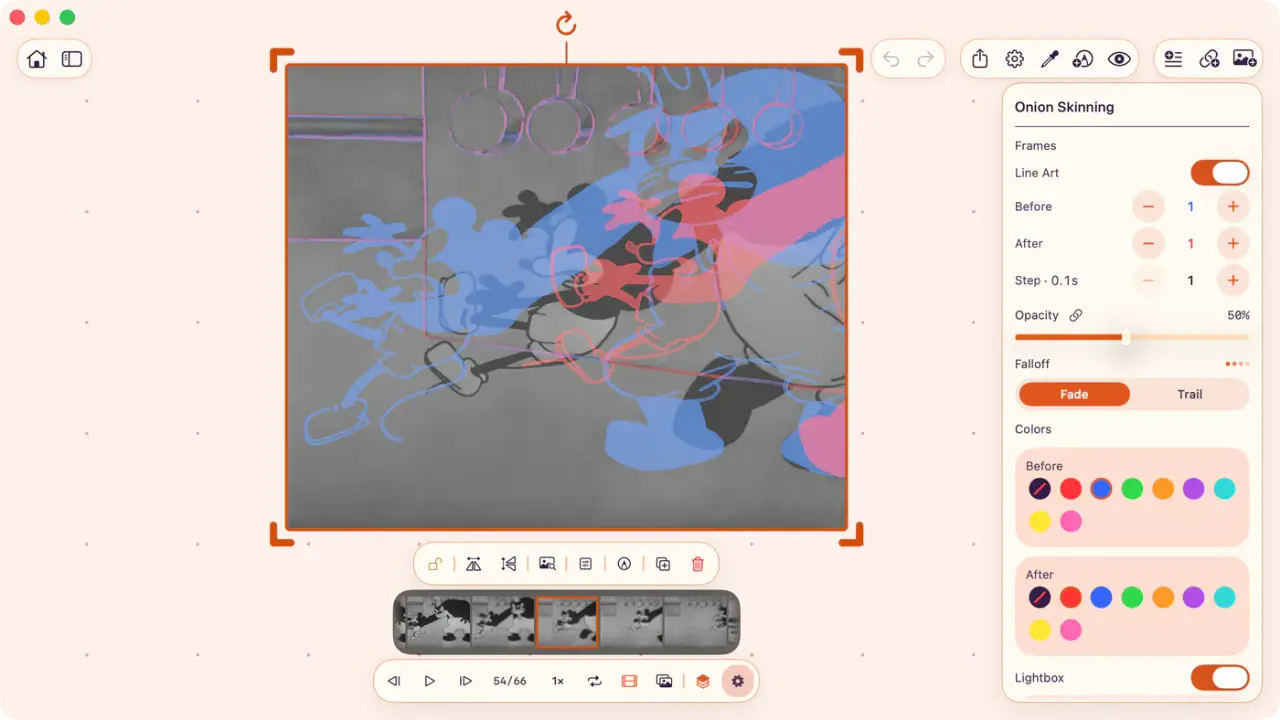
VizRef is enough for stepping through a GIF. Video, onion skinning, and saving a frame back onto the board are only in ArtDeck. The motion study page covers the frame controls.
One board, three devices
Save a photo or a link in ArtDeck on your iPhone, iPad, or Mac, and it’s on the other two when you need it. The boards sync through your own iCloud, and a large or private board can stay on one device.
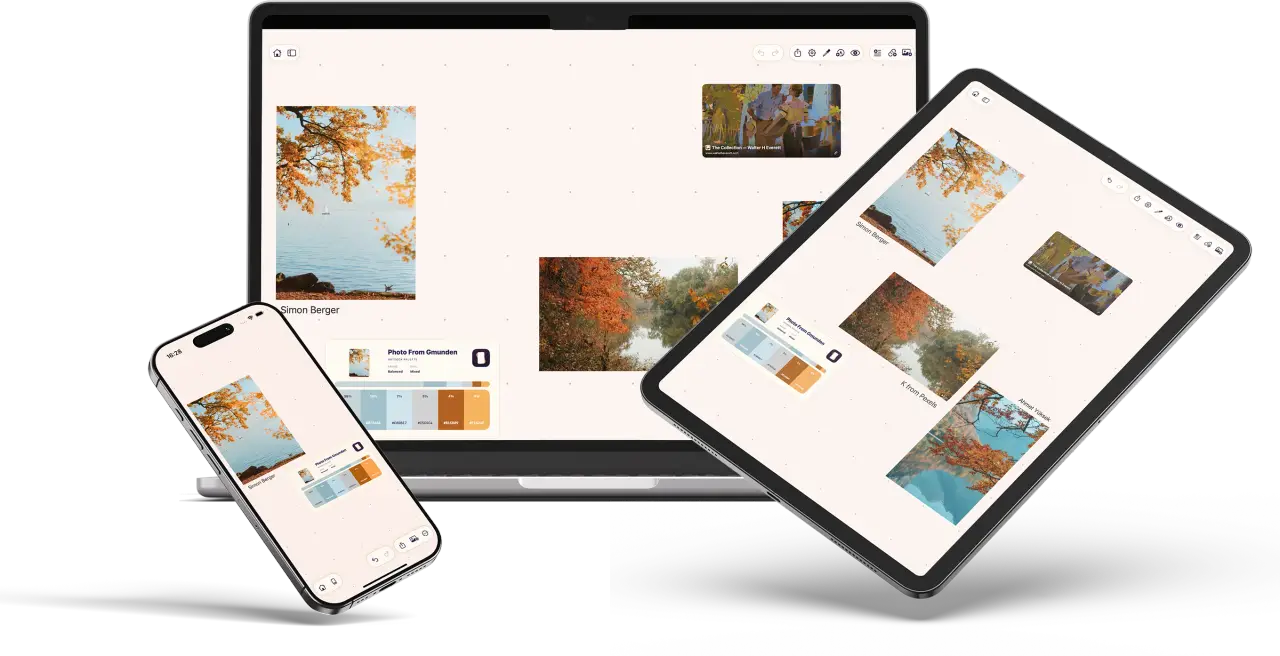
VizRef Lite puts the same features on iPhone as a separate purchase, and the official pages describe no sync between the two.
Both App Store privacy labels report no data collected, and there’s no ArtDeck account to create.
Study begins on the same canvas
VizRef gets the reference in front of you. ArtDeck also lets you check what you think you see in it.
Values reduces an image to a grayscale ladder or a two-value Notan, so you can check the big shapes before the details. Color pulls out a palette and shows how much of the image each color covers.
Composition lays grids over the image and tries crops, and Read simplifies it into big shapes. Measure adds plumb lines, angles, and proportions, and Perspective places horizons and vanishing points over a still image, a video, or a GIF.
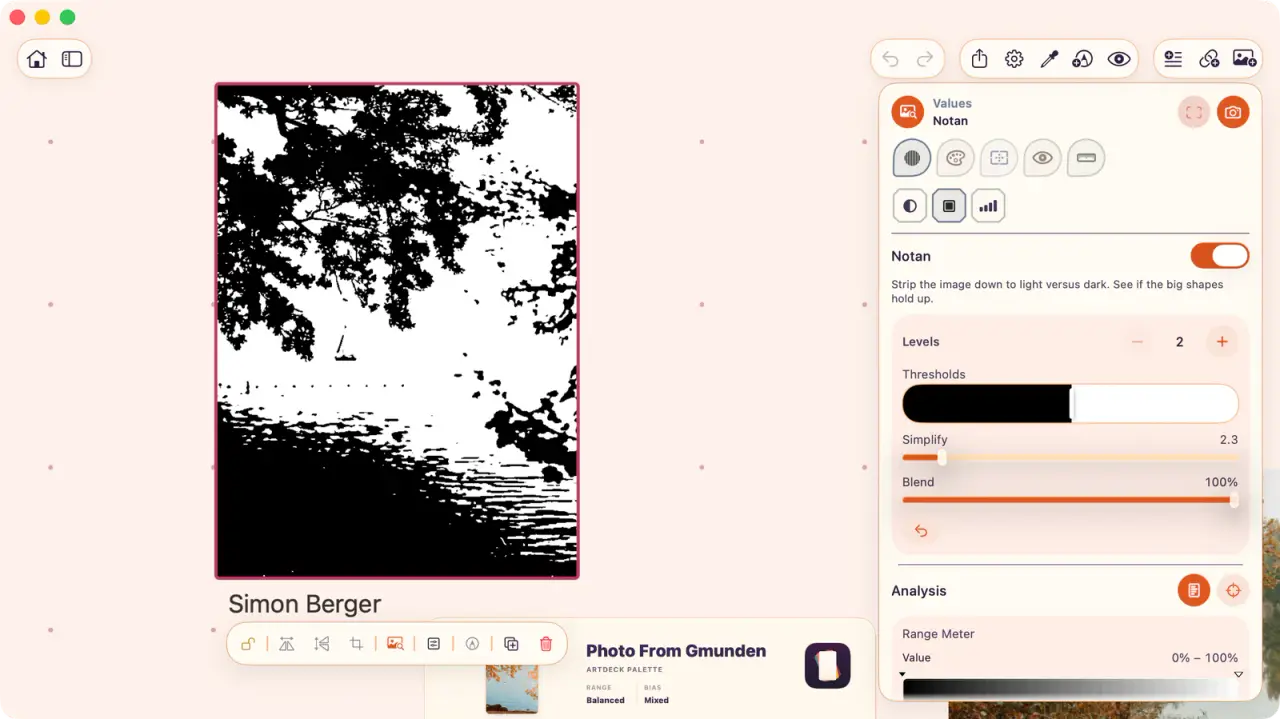
No lens changes the original. Open one just to see why a photo works, and save the result on the board if it’s worth keeping. The study tools page shows every lens and the Analysis panel.
Where each one fits
An existing VizRef board on an iPad that can’t run iPadOS 18 has no reason to move.
Start your next board in ArtDeck when it needs more than one device, more than images, or studies saved next to the references.
Where to keep the old board and where to start the next one
Keep the VizRef board existing archive or older iPad
- The iPad cannot run iPadOS 18.
- The board already does its job with images and GIF playback.
Start in ArtDeck current board and study workflow
- The same board should open on iPhone, iPad, and Mac.
- Video, PDFs, source links, notes, and drawings belong on the same board as the images.
- Value, color, composition, proportion, perspective, or motion needs studying on the board.
- You want a current app with a full trial followed by one permanent purchase.
Common questions
VizRef vs ArtDeck: what is the difference?
Both are native iPad reference boards for arranging images and GIFs next to a drawing app. ArtDeck adds video, PDFs, links, notes, drawing, the study tools, and the same board on iPhone and Mac.
Does VizRef cost less than ArtDeck?
Yes, a little, in the US App Store today. VizRef is one paid iPad download, and VizRef Lite for iPhone is sold separately. ArtDeck is one permanent purchase for iPhone, iPad, and Mac, after a seven-day trial with every feature.
Does VizRef still work on current iPads?
Apple still lists VizRef for sale and marks it compatible with iPadOS 13.2 or later, but its last update is version 1.1.7 from June 2021. Test an important project on your iPadOS version before you make it your only reference board.
Is VizRef available on iPhone or Mac?
The full VizRef app is for iPad and can run on Apple Vision. VizRef Lite is a separate iPhone app with the same features but without iPad multitasking. There’s no Mac version.
Does ArtDeck require a subscription?
Not now, not ever. The seven-day trial has every feature and doesn’t renew. Then one in-app purchase unlocks ArtDeck for good on iPhone, iPad, and Mac.