

The short answer
Freeform works when other people need to edit the board live. Its core editor is free, other people can work directly on it, and it runs on Apple Vision Pro as well as older systems ArtDeck doesn’t support. It’s mainly a whiteboard tool.
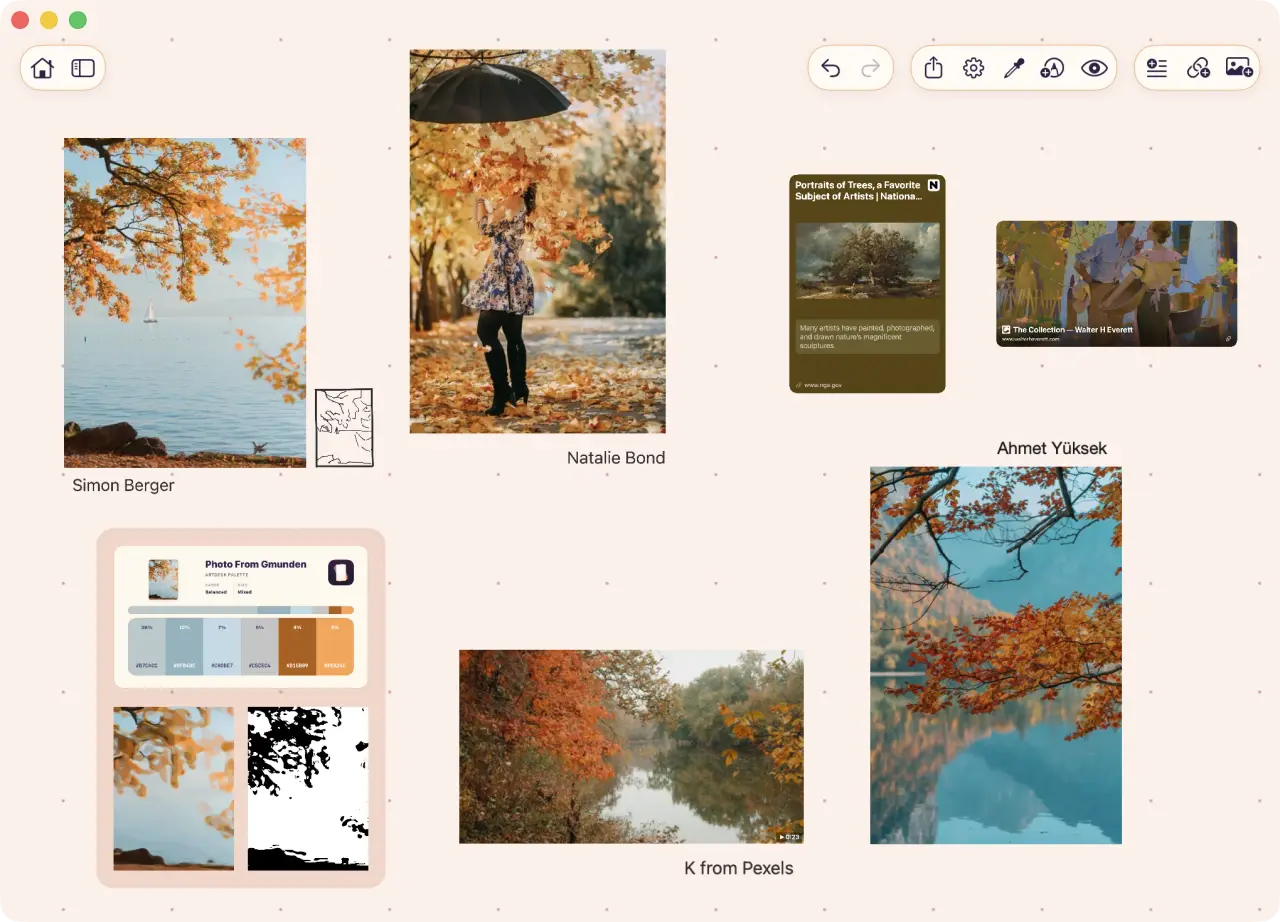
ArtDeck is specialized for visual imagery and more about gathering references and inspiration, and studying them. Each board can have its own theme, and can sync or stay local. It tries to stay optimized for lower-end devices and large item counts.
Try both with the same references. ArtDeck’s seven-day trial has every feature.
Freeform vs ArtDeck, side by side
| Decision | ArtDeck | Apple Freeform |
|---|---|---|
| What it is for | A personal reference board for keeping visual material close while you work, with per-board themes and built-in tools for value, color, composition, and motion. | A shared whiteboard for putting material and ideas on a canvas that other people can edit with you in real time. |
| Price | A free 7-day trial unlocks every feature without a card and does not renew. One in-app purchase unlocks the app permanently. | The core editor is free. An Apple Creator Studio subscription adds premium content, Auto Crop, Super Resolution, and image generation. |
| Platforms | iPhone, iPad, and Mac, on iOS 18, iPadOS 18, or macOS 15 and later. | iPhone, iPad, Mac, and Apple Vision Pro. Creator Studio features need newer software, and some also need newer hardware. |
| What a board holds | Images, video, GIFs, link cards with previews, notes, PDFs, drawings, saved studies, and nested groups. | Photos, video, audio, documents, PDFs, links, sticky notes, tables, and over 700 shapes. |
| Edit with other people | No. No multi-user editing. Boards still sync between your own iPhone, iPad, and Mac. | Yes. Real-time editing with others, shared by link or email. |
| Storage | Chosen per board, and works offline either way. Keep every board in iCloud, leave a heavy project on one device with its full media, and clear ArtDeck's iCloud data from inside the app when you need the space back. | One switch for the whole app. Every board syncs through iCloud when it is on, and a device with it off cannot reach those boards. |
| Study tools | Yes. Values and Notan, color and palettes, composition, readability, measurement, and motion study with onion skinning. Save studies on the board. | No. Video playback and Creator Studio image edits, but no analysis suite or onion skinning. |
What Freeform is built for
Apple built Freeform for brainstorming and collaboration. People edit a board in real time, follow each other’s cursors, and jump to Messages or FaceTime from the same controls. Scenes present chosen parts of a large canvas.
A Freeform reference board holds photos, video, audio, documents, PDFs, website and map links, sticky notes, tables, and more than 700 shapes. It has Apple Pencil drawing with brushes, crayon, fill, and Scribble. The core editor is free, and an Apple Creator Studio subscription adds premium content, Auto Crop, Super Resolution, and image generation.
ArtDeck has no multi-user editing, so a Freeform mood board that a team edits, or an art direction review, belongs there. Shared boards are only a candidate on the ArtDeck roadmap. ArtDeck lets you draw and annotate with Apple Pencil or touch, but has no shapes, connectors, or tables.
If everything you need is somewhere on that list, Freeform is the answer.
Study starts after collection
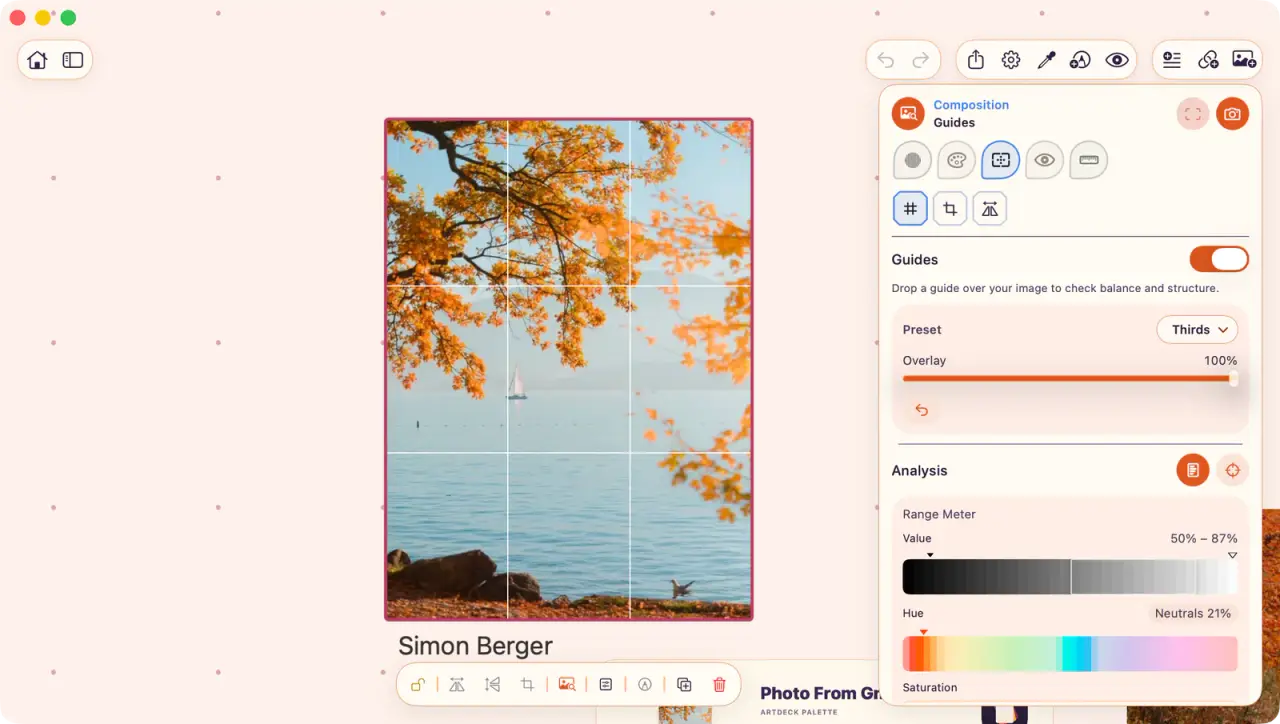
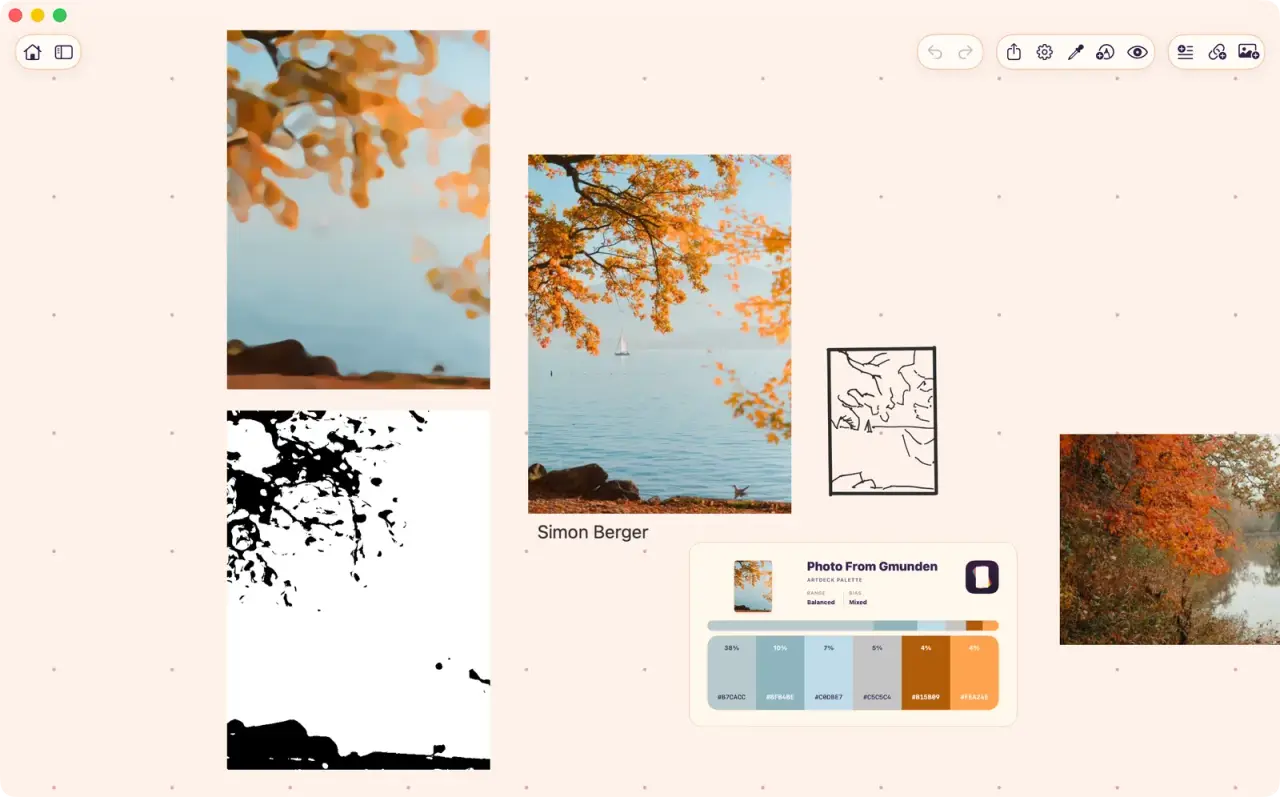
ArtDeck has five study lenses in the ToolBox panel. Values shows grayscale, a value ladder, and a Notan. Color pulls out a palette and maps temperature. Composition adds grids and a viewfinder crop, Read simplifies the image into big shapes, and Measure adds plumb lines and ratios.
The lenses open over an item without changing the source, and you can save the result next to the original. Use them to check a value grouping you got wrong, or just to see why a picture caught your eye. The study tools page shows each lens.
Freeform can crop or mask a photo, and Creator Studio’s Auto Crop suggests a new composition. It has no value bands, palette proportions, composition overlays, measurement, or histograms.
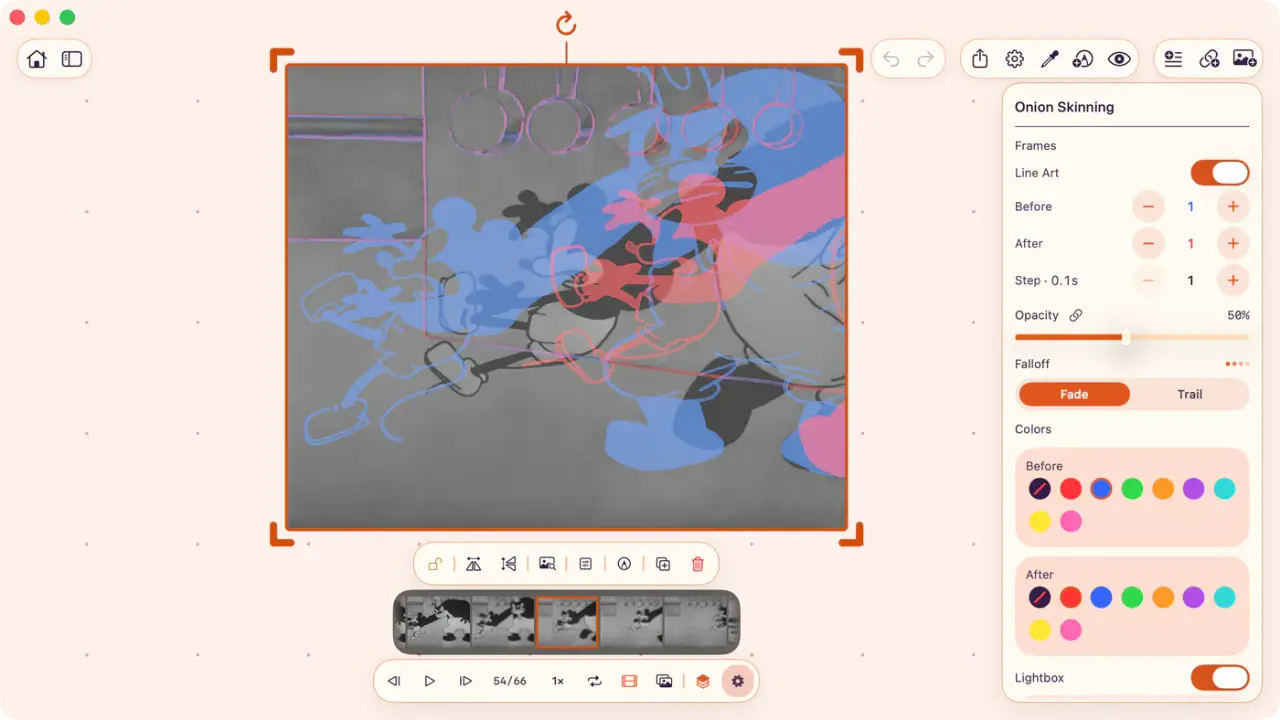
ArtDeck plays video and GIFs with playback speed, frame stepping, and onion skinning, as the motion study page shows. Freeform plays clips, with no speed control, frame stepping, or onion skinning.
If a board outlives the project, get the originals out. ArtDeck exports selected items as their own files, or packages the whole board as a restorable .artdeck file.
Freeform sends an editable copy by link or exports the canvas as a PDF, and neither gives you every embedded original as a separate file. On a Mac, those originals sit as ordinary files inside Freeform’s container, and a short script reads them back out.
Boards in the cloud, or boards on the device
In ArtDeck, you choose where each board is stored, and it works offline either way. Keep everything in your own iCloud, or leave one heavy project on a single device with all its media. There’s no ArtDeck account in the middle.
With app-level sync off, ArtDeck can delete its own iCloud data from App Settings, and the boards already on the device stay where they are. The full sequence puts the checks before the deletion.
Freeform’s iCloud setting is one switch for the whole app. When it’s on, every board syncs through iCloud to your other devices, and each device keeps a local copy once a board has loaded there. When it’s off, Freeform’s settings point you to encrypted device backups, and that device can’t reach the iCloud boards. There’s no per-board choice and no command that brings an iCloud board back to local-only storage, which matters once a project holds a few gigabytes of embedded video.
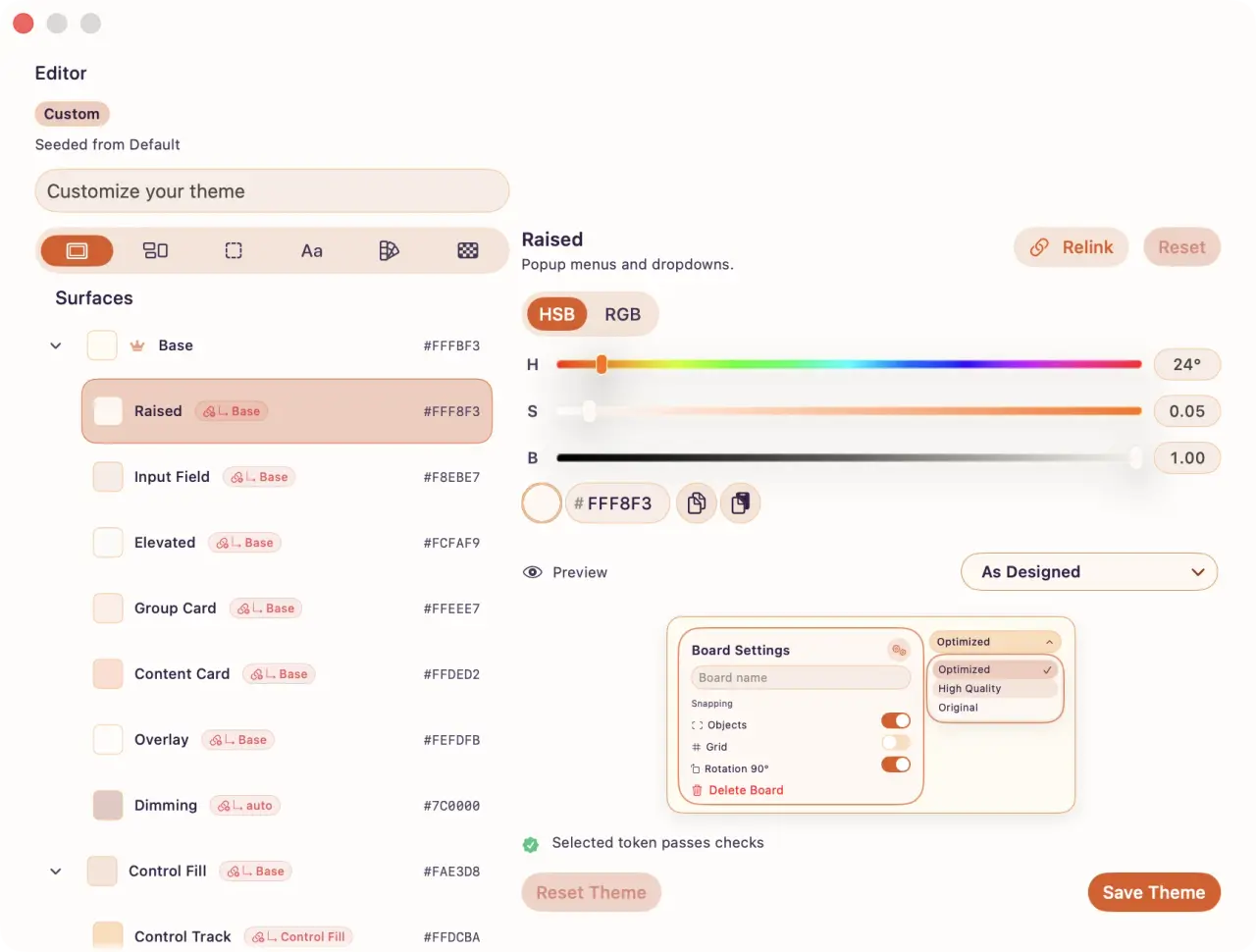
ArtDeck also lets each board use its own theme. Some references look better on a dark board and others on a light one, and changing one leaves the rest alone.
Choose based on what the reference is for
Two tools, two jobs
Apple Freeform shared whiteboard
- Anyone else needs to see or edit the board.
- The canvas is mostly diagrams, sticky notes, or presentation scenes.
- Your devices cannot run iOS 18 or macOS 15, or you are on Vision Pro.
- You need a shared board whose core editing remains free without a time limit.
ArtDeck personal reference board
- The board is yours, and you want to learn something from the images on it.
- You want each board to have its own theme and arrange it for your own eye.
- Video reference needs frame-level control, not plain playback.
- You want the references on your own iPhone, iPad, and Mac, with iCloud sync chosen per board.
- You want to keep studies and references together.
You can use both: Freeform for the canvas your team edits, ArtDeck for your own reference board and the studies behind your work.
Common questions
Is Apple Freeform good for art reference boards?
Yes. A Freeform board holds photos, video, PDFs, and links on an infinite canvas across iPhone, iPad, Mac, and Apple Vision Pro, and the core editor is free. It has no tools for value grouping, palette extraction, measurement, or frame stepping.
Is there an Apple Freeform alternative for reference boards?
Yes, ArtDeck, for a board that’s yours. I built it for my own references: it keeps images, video, links, notes, and saved studies together, syncs per board, and has the study tools. For a canvas a team edits, keep Freeform.
Can Freeform analyze an image, pull a palette, or check values?
Apple Creator Studio adds Auto Crop suggestions and Super Resolution to Freeform. For a palette, value bands, proportions, or a histogram, you need a second app, and ArtDeck has all of them as built-in study tools.
Is Freeform really free?
The core app is free. Apple Creator Studio is an optional subscription that adds premium content, Auto Crop, Super Resolution, and image generation to Freeform. Creating, editing, and collaborating without them still costs nothing.
Can I get my images back out of a Freeform board?
Apple documents sending a board copy and exporting a PDF. On a Mac, the originals also sit as files inside Freeform’s container, and the workflow linked above reads them out. Keep originals you’ll reuse in Photos or Files too, not only on the board.
Do I need ArtDeck if I already use Freeform?
Not for shared canvases, diagrams, sticky notes, or presentation scenes. ArtDeck is for the board you keep open while you work, with per-board themes and tools for value, color, composition, proportion, and motion right on the references.